
3D print tolerances: clearance chart and tolerance test
Tolerance for 3D printing is the gap you leave between parts that must fit together. On a 0.4 mm nozzle, leave 0.15 mm per side for a snug fit, 0.2 mm for parts that slide and 0.3 mm for parts that turn or print in place; tuned printers need less, older ones more. The chart below gives the gap for each fit, printer class and filament.
- Free, no account to download
- STL, 3MF and STEP
- Motion checked for collisions
3D print clearance chart
Clearance per side (radial), 0.4 mm nozzle, 0.2 mm layers. A 6.00 mm pin in a 6.30 mm hole has 0.15 mm per side. Press fits: hole = pin + 0.10 mm on the diameter.
Press fit
Metal pins and dowels pressed in for good
- Tuned printer, PLA
- 0.05 mm
- Most printers, PLA
- 0.05 mm
- PETG
- 0.05 mm
- Older printer
- 0.10 mm
Snug fit
Parts held by friction: caps, plugs, a lid that stays on
- Tuned printer, PLA
- 0.10 mm
- Most printers, PLA
- 0.15 mm
- PETG
- 0.20 mm
- Older printer
- 0.25 mm
Sliding fit
Drawers, slides, lids that come off, dovetails
- Tuned printer, PLA
- 0.15 mm
- Most printers, PLA
- 0.20 mm
- PETG
- 0.25 mm
- Older printer
- 0.30 mm
Loose / turning fit
Pins that turn, wheels on axles, printed hinges with a pin
- Tuned printer, PLA
- 0.25 mm
- Most printers, PLA
- 0.30 mm
- PETG
- 0.35 mm
- Older printer
- 0.40 mm
Print-in-place gap
Parts printed already assembled: hinges, chains, fidgets
- Tuned printer, PLA
- 0.20 mm
- Most printers, PLA
- 0.30 mm
- PETG
- 0.35 mm
- Older printer
- 0.40 mm
Vertical (Z) gap
Gaps between parts stacked in Z
- Tuned printer, PLA
- 2 layers
- Most printers, PLA
- 2 layers
- PETG
- 2 layers
- Older printer
- 3 layers
Measure your own printer: the tolerance test
Clearance depends on your printer, your filament and your slicer, so the best numbers are your own. This test coupon measures them: rings printed inside a plate at 0.10 to 0.30 mm, two print-in-place hinges at 0.25 and 0.35 mm, flaps one and two layers above a pad, and an M10 bolt with two nuts at 0.15 and 0.25 mm thread clearance. The sliders move every clearance and the layer height, and the printed labels follow.
Print it, see which ring is the tightest one that turns, which hinge folds and which nut runs by hand, and enter the result below the coupon: with a free account it becomes your fit profile, and the AI designer uses it for every moving part.
Parameters
Loading the sliders...
Sliders and downloads are free. The AI designer uses credits; new accounts start with free ones.
Printed it? Enter what moved
Pick the number printed next to each part.
Your printer: 0.20 mm per side for parts that turn or slide, 0.35 mm for print-in-place gaps, in PLA.
The AI designer then builds hinges, gears, snaps and sliding parts with your numbers.
Start from an example
Finished designs from the Library to start from: open one, set its sliders, download it or change it with AI.
How to read the tolerance test
| On the coupon | Sizes | What to look for | What it gives you |
|---|---|---|---|
| Rings in the plate | 0.10, 0.15, 0.20, 0.25, 0.30 mm | The tightest ring that turns by hand | Clearance for parts that turn or slide |
| Print-in-place hinges | 0.25 and 0.35 mm | The tightest hinge that folds | The print-in-place gap |
| Flaps over a pad | 1 and 2 layers | Which flap lifts off | The smallest vertical gap that stays open |
| Bolt and two nuts (M10 x 2) | 0.15 and 0.25 mm flank clearance | Which nut runs by hand | Clearance for printed threads |
At the default sizes: if no ring turns, use 0.35 mm; if neither hinge folds, use 0.45 mm. With a free account, the numbers you read become your fit profile, and the AI designer builds every moving part with them.
Holes and shafts: compensate once
Printed holes come out 0.1 to 0.25 mm smaller than drawn, because the outer wall is laid inside the outline and small circles are made of straight segments. Pins and bosses come out close to size or slightly over. So the same 0.2 mm gap feels tighter on a hole than on a slot.
- Vertical holes for metal pins and screws: add 0.1 to 0.2 mm to the diameter, more under 5 mm.
- Horizontal holes: use a teardrop with a 45 degree top, or add 0.1 to 0.2 mm in Z.
- Or turn on hole compensation in Bambu Studio or OrcaSlicer: then leave the CAD at nominal size, or the correction counts twice.
- Heat-set inserts follow the insert maker's hole size, plus 0.2 mm when the hole is printed.
Screw clearance holes, heat-set insert holes by brand, self-tapping pilots, nut traps and countersinks for M2 to M8 are in the 3D print hole size guide, with a calculator.
FDM tolerance table
Every number below is a clearance per side (radial): the gap between the two facing surfaces. A 6.00 mm pin in a 6.30 mm hole has 0.15 mm of clearance. Mixing per side and diameter numbers is the most common reason two tolerance guides seem to disagree.
| Feature | Start with | Range | Notes |
|---|---|---|---|
| Printed pin in printed hole | snug 0.15, slide 0.20, loose 0.30 | 0.15 to 0.40 mm | Lay pins horizontal: vertical pins under 5 mm break easily |
| Sliding fit (drawer, lid, dovetail) | 0.25 mm per side | 0.20 to 0.35; large parts 0.4+ | Friction rises sharply below 0.2 mm |
| Print-in-place gap, sideways (XY) | 0.30 mm | 0.20 on a tuned Bambu Lab or Prusa, 0.40 on older printers; PETG +0.05 | Put the moving axis along Z when you can, so the gap lies in XY |
| Print-in-place gap, vertical (Z) | 0.40 mm (2 layers) | at least 1 layer, 2 to 3 is safe | Whole layers only: the surface above the gap is a bridge and sags |
| First layer (elephant foot) | 0.5 mm x 45 deg chamfer | 0.3 to 1.0 mm | On the bottom edges of both mating parts; never start a moving gap on layer 1 |
| Print-in-place knuckle hinge | gap 0.2 to 0.3, radial 0.3 | cones 40 to 50 deg from vertical | 45 deg cones hold the knuckles without a pin and print without supports |
| Hinge with an inserted pin | hole = pin + 0.4 mm | +0.3 to +0.5 on the diameter | A 1.75 mm filament pin works; teardrop the hole when the axis is horizontal |
| Metal pin, press fit (vertical hole) | hole = pin + 0.10 mm | +0.00 to +0.15 | Printed holes come out 0.1 to 0.25 mm undersize |
| Metal pin, slip / turning | hole = pin + 0.4 / + 0.5 mm | +0.3 to +0.6 | Small holes need the most correction |
| Horizontal hole | teardrop, 45 deg top | +0.1 to +0.2 in Z | The top of a round horizontal hole droops |
| Gear backlash | centre distance + 0.15 mm | +0.10 to +0.30 | Planetary sets often need 0.3 to 0.5 mm |
| Gear bore on a D or hex shaft | +0.2 mm | +0.15 to +0.3 | No press fit on a smooth printed bore: it creeps |
| 608 bearing pocket (22 mm) | 22.15 mm | 22.1 to 22.3 | Axis vertical, with an entry chamfer |
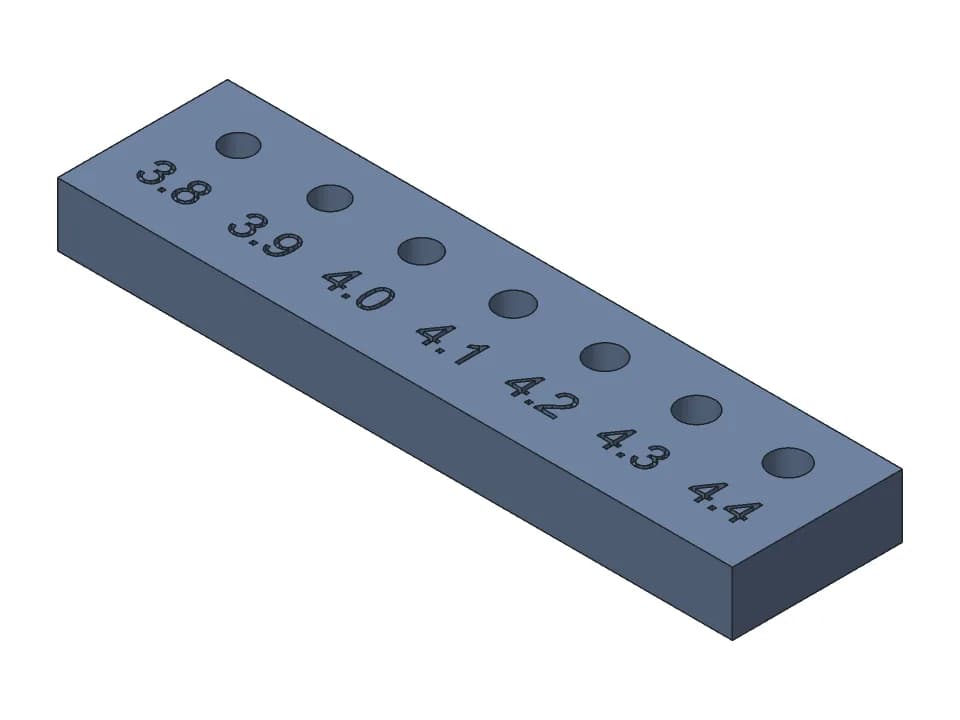
| Heat-set insert hole | M3: 4.0 mm (+0.2 in CAD when printed) | M3 4.0 to 4.2 | Pull-out strength drops above 4.2 mm for M3 |
| Captive hex nut | M3: 5.5 mm across flats + 0.3 | +0.2 to +0.3 | Measure your real nuts |
| Printed thread, axis vertical | 0.2 mm radial | 0.1 to 0.3 | Model threads from M8 up, use inserts below; 45 deg lead-in |
| Clearance around a snap latch | 0.3 mm | 0.2 to 0.5 | So the hook drops into its window freely |
| Living hinge | PETG or PP, 0.6 mm (3 layers) | 0.4 to 1.0; TPU 0.8 to 2.0 | Print flat; PLA lasts about 160 folds, PETG about 860 |
Why the guides disagree
- Print-in-place: Prusa's guidance says at least 0.3 mm; users of tuned Bambu Lab and Prusa printers run 0.2 mm; print services ask for 0.4 to 0.6 mm.
- Vertical gaps snap to the layer grid: a 0.3 mm gap at 0.2 mm layers prints as 0.2 or 0.4 mm depending on where it starts.
- Holes: Bambu Studio and OrcaSlicer can compensate hole sizes. Compensating in CAD and in the slicer counts it twice.
- Gear backlash: most CAD libraries default to zero, which binds when printed.
Use your numbers everywhere
The other free generators (gears, print-in-place hinges, snap fits, boxes with lids, threads) start from the defaults above, and each has a slider for its gap or backlash: set it to what your coupon showed. Saved as your fit profile, the box and thread generators start from it when you are signed in.
FAQ
Questions about the 3D print tolerance test
How much tolerance should I give for 3D printing?
On a 0.4 mm nozzle with PLA: 0.15 mm per side for a snug fit, 0.2 mm for parts that slide, 0.3 mm for parts that turn or print in place. A well tuned Bambu Lab or Prusa printer holds about 0.05 mm less, an older or untuned printer needs 0.1 mm more, and PETG about 0.05 mm more than PLA.
Is 0.5 mm tolerance good for 3D printing?
Per side, 0.5 mm is loose: parts drop together and rattle, which suits lids that just sit on, but not hinges, sliders or gears. If the 0.5 mm is on the diameter (0.25 mm per side), it is a good sliding fit for most printers.
Is 0.1 mm a good tolerance for 3D printing?
Per side, 0.1 mm is a tight, snug fit that only a well tuned printer holds; parts may need force or sanding, and print-in-place parts with a 0.1 mm gap usually fuse. Use it for parts that should hold by friction, not for parts that move.
Is the clearance per side or on the diameter?
Per side (radial) on this page and in the generator. A 6.00 mm pin in a 6.30 mm hole has 0.15 mm of clearance per side. Half the disagreement between online tolerance tables comes from mixing the two.
How long does the tolerance test take to print?
At the default sizes it is about 9 cm3 of plastic, roughly 12 to 18 minutes on a Bambu Lab or Prusa printer at 0.2 mm layers.
Why do holes print smaller than designed?
Printed holes usually come out 0.1 to 0.25 mm undersize because the outer wall is laid inside the outline. Add that to holes for metal pins, or turn on hole compensation in the slicer, but not both.
Do I need to redo the test for each filament?
Ideally yes when you switch material: PETG usually needs about 0.05 mm more clearance than PLA. Changing nozzle size or layer height also changes the result.
More free tools
Designing the rest of the part yourself? The guide to CAD for 3D printing compares the software and gives the FDM rules for walls, holes, overhangs and tolerances.
Gridfinity generator
Gridfinity bins and baseplates to the spec, baseplates sized to your drawer and split for your bed.
Gear generator
Spur gear pairs that mesh and turn, with the ratio, FDM backlash and a collision check.
Planetary gear calculator
Ratios for every fixed member, valid tooth counts from a target ratio, and a 3D set to print.
3D print hinge generator
Print-in-place hinges and hinged boxes, with the gap checked through the swing.
Box generator
Boxes sized by their inside, with a lift-off, sliding or hinged lid, dividers and labels.
Snap fits for 3D printing
Cantilever snap fits sized for FDM: strain per filament and print direction, STL to test.
Thread generator
Printable bolts and nuts, jar necks with screw caps and threaded inserts, with FDM clearance.
Need something these sliders can't make?
Describe the part in plain words: a gearbox for your motor, a box with this hinge, a case that snaps shut. The AI designer builds it as real CAD, checks the fit and the motion, and gives you sliders and print-ready files.
Start designing for free