
CAD for 3D printing: how to choose the software and design parts that print
CAD for 3D printing is software that lets you model a part with exact dimensions and export it as an STL or 3MF file for your slicer. The right one depends on the part and on you: Tinkercad for a first simple part, a parametric tool such as Fusion, Onshape or FreeCAD for functional parts you will change later, OpenSCAD or build123d if you would rather write code, and AI CAD if you know the measurements but not the software.
This guide compares the tools on price, learning curve and export formats, gives the design rules that make FDM prints come out right, and has a parametric model you can change right here.
By the buildcad team · Updated
Which CAD software to use for 3D printing
Start from what you want to make and how you like to work. Many makers keep two: a quick one for simple shapes and a parametric one for parts that must fit.
| If | Start with | Why |
|---|---|---|
| You need one simple part and have never used CAD | Tinkercad | Free, in the browser, learned in an evening: you stack and cut boxes, cylinders and text. |
| You know the measurements but do not want to learn CAD | AI CAD (for example buildcad) | Describe the part with its measurements; you get a model with sliders and STL, 3MF and STEP files. |
| You want to learn real CAD for functional parts | Fusion (free for personal use) or Onshape | Sketches, constraints and a feature history you can edit: the skills that carry to any parametric CAD. |
| You want open source, offline, no account | FreeCAD | Free for any use, runs on Windows, macOS and Linux, full parametric modelling. Steeper learning curve. |
| You design on an iPad or want to model with a pencil | Shapr3D | Direct modelling built for touch and Apple Pencil, also on Mac and Windows. |
| You think in code and want parameters and version control | OpenSCAD, or build123d / CadQuery | OpenSCAD is the simplest (meshes, STL and 3MF out). build123d and CadQuery are Python on a real CAD kernel and also export STEP. |
| You want figurines, sculpts or organic shapes | Not CAD: Blender or a sculpting app | CAD is for exact dimensions. Sculpting tools and AI mesh generators are better for characters and organic forms. |
Parametric or direct?
A parametric model is built from named dimensions and a history of steps, so you can change the wall thickness or a hole size and everything after it updates. That is what you want for functional parts, because the first print rarely fits perfectly. A direct or block modeller (Tinkercad, Shapr3D) lets you push and pull shapes; it is faster to start but harder to change in a controlled way later. An STL file has neither: it is the final mesh, good for printing, poor for editing.
Try it
Try parametric design on this page
This sliding-lid box is a parametric CAD model with ten named dimensions. Move Outer length and the grooves and the lid follow. Move Lid play (per side) from 0.3 to 0.4 mm and only the fit changes: that is the number you adjust after a test print. Every change rebuilds the solid on our CAD engine in a second or two, and the download menu gives you STL or 3MF for the slicer and STEP for any other CAD tool. No account needed.
Parameters
Sliders and downloads are free. Changes by the AI designer use credits like any design; new accounts start with free ones.
The CAD tools for 3D printing compared
Prices and limits as published on each vendor's site in October 2026. Every tool here exports STL, the format every slicer reads; the column that separates them is STEP, which you need to move a part to another CAD tool and keep editing it.
| Tool | Price | How you model | Learning curve | Exports | Best for |
|---|---|---|---|---|---|
| Tinkercad | Free | Blocks: add and subtract shapes, in the browser | Hours | STL, OBJ, glTF, SVG (no STEP) | First parts, kids, quick simple shapes |
| Fusion | Free for personal, non-commercial use (under $1,000 a year of revenue); paid subscription for commercial use | Parametric: sketches, constraints, history | Weeks | STL, 3MF, OBJ, STEP on the free licence; IGES and more on paid | Functional parts you will edit again |
| Onshape | Free for non-commercial use, every document public; Standard $1,500 a year | Parametric, in the browser and on tablets | Weeks | STL, 3MF, STEP, IGES, Parasolid and more | Parametric CAD on any computer, sharing |
| FreeCAD | Free, open source (LGPL) | Parametric, desktop (Windows, macOS, Linux) | Weeks to months | STL, STEP, IGES, OBJ and more | Open-source parametric CAD, offline, no account |
| OpenSCAD | Free, open source (GPL) | Code: shapes combined in a script | Days (if you code) | STL, 3MF, OFF, AMF, DXF, SVG (no STEP) | Parametric parts and customizers from code |
| Shapr3D | Free plan: 2 projects, basic-resolution STL and 3MF; Pro $299 a year | Direct modelling with touch, pencil or mouse | Days | Pro: STL, 3MF, STEP, IGES and more | iPad and Mac users, fast direct edits |
| build123d / CadQuery | Free, open source (Apache 2.0) | Python code on the OpenCascade kernel | Days (if you code) | STEP, STL, 3MF and more | Programmers who want real CAD and STEP |
| buildcad (AI CAD) | 200 free credits; Maker $12 a month; free through MCP | Describe it in words or photos, then sliders | Minutes | STL, 3MF, STEP | Functional parts from measurements, no CAD skills |
Tinkercad
Autodesk's free browser tool. You build parts from primitive shapes (boxes, cylinders, text), turn some into holes and group them. It is the fastest way from nothing to a printed part, and many people never need more for simple brackets, signs and spacers. It gets awkward for parts that must fit something precisely, there is no feature history, and it exports meshes only, so you cannot hand a part to another CAD tool as STEP.
Autodesk Fusion
Popular parametric CAD among hobbyists: sketches with constraints, extrudes, fillets, a timeline you can edit, assemblies, and tutorials everywhere. The free personal-use licence is for personal, non-commercial projects by people earning less than $1,000 a year from them, runs for three years at a time, and has fewer import and export formats than the paid subscription; STL, 3MF and STEP export are included. Anything commercial needs the paid subscription. Files live in Autodesk's cloud.
Onshape
Full parametric CAD that runs in the browser (and on iPad, iPhone and Android), so it works on any computer, including Linux and Chromebooks, with version history built in. The free plan is for non-commercial use and every document you create on it is public; the cheapest paid plan, Standard, is $1,500 per user per year. Good for collaboration and for people who switch machines.
FreeCAD
Open source, free for any use, runs offline on Windows, macOS and Linux, with no account. It is fully parametric (sketcher, Part Design and a built-in assembly workbench since version 1.0 in 2024) and exports STEP, IGES, STL, OBJ and more. The current release is 1.1.4 (September 2026); the next, 26.3, is in testing and starts a new version numbering. The price is a steeper learning curve and more workbenches than you need at first.
OpenSCAD
You write the part as code: a cube minus a cylinder, moved and repeated. Every dimension is a variable, which is why so many customizable models on Printables and MakerWorld are OpenSCAD files. Fillets and chamfers are awkward, and the output is a mesh (STL, 3MF), so there is no STEP. The last stable release dates from 2021; many people use the development snapshots, which the OpenSCAD site offers for download.
Shapr3D
Direct modelling designed for the iPad and Apple Pencil, also on Mac and Windows, on a real CAD kernel. Very quick to learn for push-and-pull edits. The free plan holds up to 2 projects and exports basic-resolution STL and 3MF only; Pro ($299 a year) adds full-resolution exports and STEP. A good choice if you already sketch on an iPad.
build123d and CadQuery
Python libraries on the OpenCascade kernel, the same kernel FreeCAD uses: you write the part as a program, with real fillets, threads and assemblies, and export STEP, STL or 3MF. Ideal if you code and want version control and parameters everywhere. You need a viewer next to your editor (OCP CAD Viewer for VS Code is the usual one). buildcad's designer writes its models in build123d.
AI CAD: buildcad
You describe the part in words (or attach a photo), with the measurements you know. buildcad's agent writes a parametric build123d model, runs it, measures it against your requirements (hole sizes, clearances, bed fit, overhangs) and gives you sliders for the dimensions that matter, then STL, 3MF and STEP. It is fast for functional parts with clear dimensions: brackets, mounts, enclosures, adapters, boxes. It is not a sculpting tool, and like any CAD model, the first print of a precise fit is still a test. New accounts get 200 free credits (a design usually uses 30 to 150), the Maker plan is $12 a month, and through the MCP server you can design from Claude or Cursor with your own AI subscription, free. More on how it works: text to CAD.
Design rules for FDM 3D printing
These numbers are for the most common setup: a 0.4 mm nozzle, 0.2 mm layers, PLA or PETG. They are starting points, not laws: printers differ, and the cheapest way to know yours is a small test print. Design every part in the orientation it will print, with its largest flat face on the bed.
| Feature | Rule of thumb | Why |
|---|---|---|
| Wall thickness | 1.2 mm or more; 2 mm or more where it takes load or screws | Walls print as whole lines about 0.45 mm wide. Under 0.8 mm (two lines) a wall may print with gaps or be dropped by the slicer. |
| Floors and lids | 1.2 mm or more, 2 mm under weight | Thin flat areas warp and show the infill pattern through the top. |
| Overhangs | 45 degrees from vertical or less | Each layer needs about half of itself resting on the layer below. Steeper than 45 degrees needs supports, or a chamfer instead of a fillet on downward edges. |
| Bridges | Keep flat spans short (about 10 mm prints clean on most printers) | A bridge is a line stretched between two supports in mid-air; the longer it is, the more it sags. |
| Vertical holes | Model 0.1 to 0.25 mm larger than the pin or screw | Printed holes come out undersize because the outer wall is laid inside the outline. |
| Horizontal holes | Teardrop shape (45 degree pointed top) above about 5 mm | The top of a round horizontal hole is an overhang and droops. |
| Screw holes (M3) | 3.4 mm to pass through, about 2.6 mm for the screw to cut its own thread, about 4.0 mm for a heat-set insert | Check the insert maker's figure and print a test block: the right hole depends on your printer. |
| Clearance between parts | 0.15 mm per side snug, 0.2 mm sliding, 0.3 mm turning or print-in-place | Printers are accurate to about a tenth of a millimetre at best, so parts that touch in CAD fuse or bind when printed. |
| First layer | 0.3 to 0.5 mm chamfer on bottom edges | The first layer squashes out (elephant foot) and closes gaps and holes at the bed. |
| Small details and text | Strokes 0.8 mm wide or more, raised or cut about 0.6 mm (3 layers) | Details thinner than two extrusion lines vanish or print as blobs. |
| Thin posts and pins | 5 mm or thicker if they stand vertically | Layers are the weak direction: a thin vertical pin snaps along a layer line. |
| Part size | Check the largest part against your bed | For example 256 x 256 mm on a Bambu Lab P1S or X1, 250 x 210 mm on a Prusa MK4. Split larger parts and join them. |
Tolerances: leave a gap where parts meet
Two parts drawn touching in CAD will not fit when printed. Leave 0.15 mm per side for a snug fit, 0.2 mm for parts that slide and 0.3 mm for parts that turn or print in place, then adjust for your printer: a tuned Bambu Lab or Prusa holds about 0.05 mm less, an older printer needs 0.1 mm more, PETG about 0.05 mm more than PLA. The 3D print tolerance chart and test has the full table by fit and printer, and a test coupon that measures your own printer in about 15 minutes of printing.
Strength comes from orientation and walls
A printed part is weakest across its layers: a hook printed standing up snaps along a layer line, the same hook printed on its side carries far more. Orient parts so the load runs along the layers, add a fillet at inside corners that carry load, and add walls (perimeters) in the slicer before you add infill: for most parts, walls do more for strength than infill does. Snap fits follow the same rule: print the arm flat (see snap fits for 3D printing).
Moving parts and print-in-place
Hinges, gears and sliders printed in one piece need clearance all round and no first-layer squish in the gap. For hinges the cones-instead-of-pin trick removes supports (3D print hinge generator); gears need 0.15 to 0.3 mm of backlash (gear generator).
From idea to STL, step by step
- Measure what the part must fit. Use calipers, measure twice, and mark which dimensions are critical (the shaft, the screw spacing) and which are free (the outside shape).
- Sketch it on paper with those dimensions, how it attaches, and which face will sit on the print bed.
- Model it with named dimensions. Put the numbers you may change (wall, clearance, screw size, overall size) in parameters: user parameters in Fusion, variables in Onshape, a spreadsheet or variable set in FreeCAD, variables in OpenSCAD, function arguments in build123d. Or describe the part to an AI CAD tool, which does this for you.
- Model it in print orientation and apply the rules above: walls, overhangs, clearances, hole compensation.
- Export STL or 3MF for the slicer, and keep the CAD file or a STEP copy so you can change it later.
- Slice and look at the preview. Check layer by layer for gaps in thin walls, unsupported overhangs and holes that closed up.
- Print a test of the critical fit first. A thin slice of the part with the hole or the slot takes minutes, not hours.
- Adjust the parameter and print the part. This is where a parametric model pays off: change one number, export again.
How to make an STL file
Every CAD tool exports STL. Where to find it:
- Tinkercad: the Export button at the top right, then .STL (or .OBJ).
- Fusion: right-click the body in the browser, Save As Mesh, then pick STL or 3MF (or File, Export).
- Onshape: right-click the part in the parts list, Export, then STL.
- FreeCAD: select the body, then File, Export, and pick the STL mesh format.
- OpenSCAD: render with F6, then File, Export, Export as STL (or 3MF).
- Shapr3D: File (More on iPad), Export to, then 3MF or STL under 3D printing.
- build123d and CadQuery:
export_stl(part, "part.stl")orexport_step(part, "part.step"); in CadQuery,result.export("part.stl"). - buildcad: the download menu on any model (STL, 3MF or STEP), or open it straight in Bambu Studio or OrcaSlicer.
STL, 3MF or STEP?
| Format | What it is | Use it for | Limits |
|---|---|---|---|
| STL | A mesh of triangles, no units, no colours | Every slicer and every printer workflow. The most widely shared format. | Hard to edit: you cannot change a hole size, only the triangles. |
| 3MF | A mesh with units, colours, several parts and print settings in one file | Modern slicers (Bambu Studio, OrcaSlicer, PrusaSlicer, Cura). Better than STL when you have the choice. | Still a mesh: no editable features. |
| STEP | An exact solid (B-rep): faces, edges and true circles | Opening the part in another CAD tool to keep editing, CNC machining, sharing with engineers. | Slicers increasingly import it, but you keep STL or 3MF for printing. |
The short version: print from 3MF when your slicer takes it, STL otherwise, and keep a STEP (or the original CAD file) of anything you may want to change. Turning an STL back into an editable model is slow manual work.
Where AI CAD fits, and where it does not
AI design tools for 3D printing come in two kinds, and the difference matters. AI mesh generators turn a prompt or a photo into a sculpted surface: good for figurines and decorations, but the result has no exact dimensions and cannot be edited like a CAD part. AI CAD (also called text to CAD) builds a solid model with real dimensions and parameters, which is what a bracket, a case or an adapter needs.
What AI CAD does well today, from what we see in buildcad:
- Functional parts described by their measurements: mounts, brackets, hooks, enclosures for a known board, boxes, adapters, knobs, spacers.
- Parts built from published data: a case for a Raspberry Pi 5 or an ESP32 board starts from the board's mechanical drawing.
- The tedious part of parametric modelling: naming the dimensions, keeping the model valid across slider ranges, checking clearances and overhangs.
Where you still need to do the work, or another tool:
- Measuring. An AI that guesses a shaft diameter is guessing; give it the numbers. When it has to assume one, buildcad says which.
- Organic and artistic shapes (figurines, sculpted handles): use a sculpting tool or a mesh generator.
- Large assemblies with many interacting parts and complex surfaces: a parametric CAD tool and a person who knows it are still faster.
- Proof. A model that passes every check on screen is not a printed part. Print a test of the critical fit.
Describe your part
Write what it is, what it fits and the measurements you know. The designer opens with your text in its prompt box; nothing is sent until you press Design it there.
FAQ
Questions about CAD for 3D printing
What is the best CAD software for 3D printing?
It depends on how you want to work. For a first simple part, Tinkercad: free, in the browser and learned in an evening. For functional parts you will change later, a parametric tool: Fusion (free for personal use), Onshape or FreeCAD (free and open source). If you prefer code, OpenSCAD or build123d. If you know the measurements but do not want to learn CAD, an AI CAD tool such as buildcad builds a parametric model from a description.
What is the best free CAD software for 3D printing?
Tinkercad for beginners, FreeCAD for full parametric modelling with no account and no limits, and OpenSCAD or build123d if you write code. Fusion and Onshape also have free plans, with conditions: Fusion's personal-use licence is for non-commercial projects (under $1,000 a year of revenue), and Onshape's free plan is non-commercial and makes every document public.
How do I design a part for 3D printing?
Measure what the part has to fit, sketch it with the critical dimensions, then model it lying in its print orientation: walls of 1.2 mm or more, overhangs no steeper than 45 degrees, 0.15 to 0.3 mm of clearance per side where parts meet, holes modelled slightly larger. Export STL or 3MF for the slicer, print a small test of the critical fit first, then adjust and print the part.
How do I make an STL file?
Model the part in any CAD tool and export it: Tinkercad has an Export button, Fusion has Save As Mesh on a body (or File, Export), Onshape exports a part from its context menu, FreeCAD exports from the File menu and OpenSCAD exports after a full render (F6). Without CAD skills you can describe the part to an AI CAD tool and download the STL it builds, or download an existing model from Printables, MakerWorld or Thingiverse.
Should I use STL, 3MF or STEP?
Use 3MF (or STL) to print and STEP to edit. STL and 3MF are meshes for the slicer; 3MF also stores units, colours and several parts. STEP is the exact solid model, which other CAD tools open with real faces and circles, so it is the file to keep if you may change the part later.
Is Fusion 360 free for 3D printing?
Yes, for hobby use. Autodesk Fusion (the new name of Fusion 360) has a free personal-use licence for personal, non-commercial projects by people earning less than $1,000 a year from them. It runs for three years at a time and has fewer file formats and CAM features than the paid version, but it exports STL, 3MF and STEP. Commercial work needs the paid subscription.
How thick should walls be for 3D printing?
On a 0.4 mm nozzle, 1.2 mm (three lines) is a good minimum for walls that hold their shape, and 2 mm or more for walls that take load or screws. Never go under 0.8 mm (two lines): thinner walls print with gaps or are skipped by the slicer.
Can ChatGPT make STL files?
A general chatbot can write code for a tool such as OpenSCAD or CadQuery, which you then run yourself to get an STL, but it does not see or check the result: walls, holes and fits are not measured. Dedicated AI CAD tools run the model, measure it and give you the files. buildcad does this, and its MCP server lets Claude or Cursor drive it directly.
Do I need CAD to 3D print?
No. Printables, MakerWorld and Thingiverse have millions of models ready to print, and many are customizable. CAD becomes useful when you need a part that fits something you own: a replacement knob, a bracket for your shelf, a case for your board.
Parametric designs to start from
Finished models from the Library: set the sliders to your sizes, download STL, 3MF or STEP for free, or change one with AI.
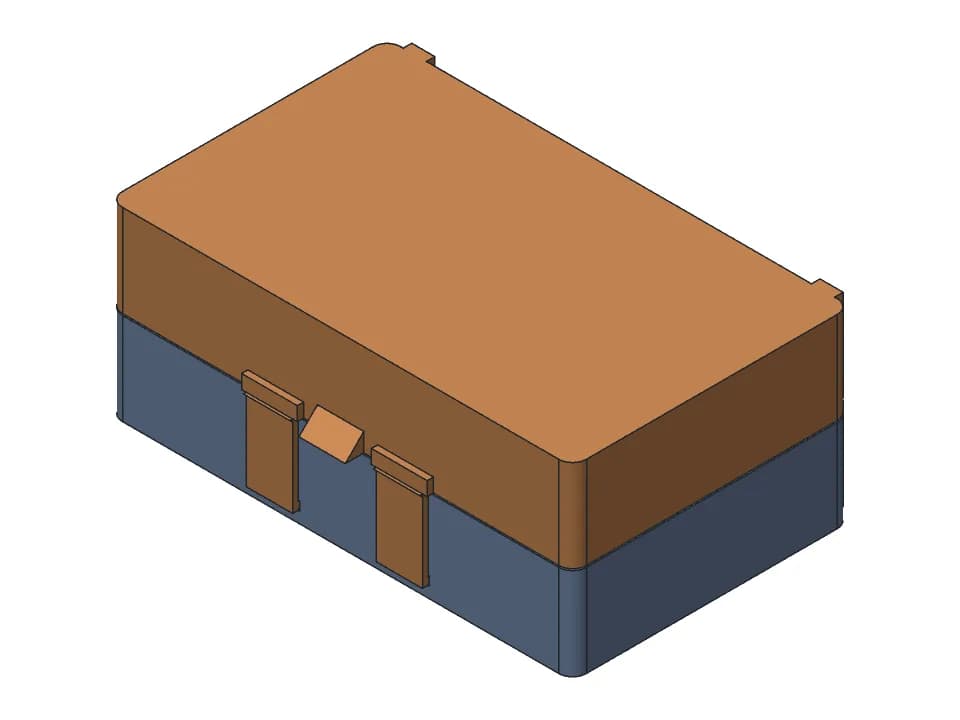
Hinged box
A box that prints in one piece with the lid open: print-in-place hinge, snap latch, any size.
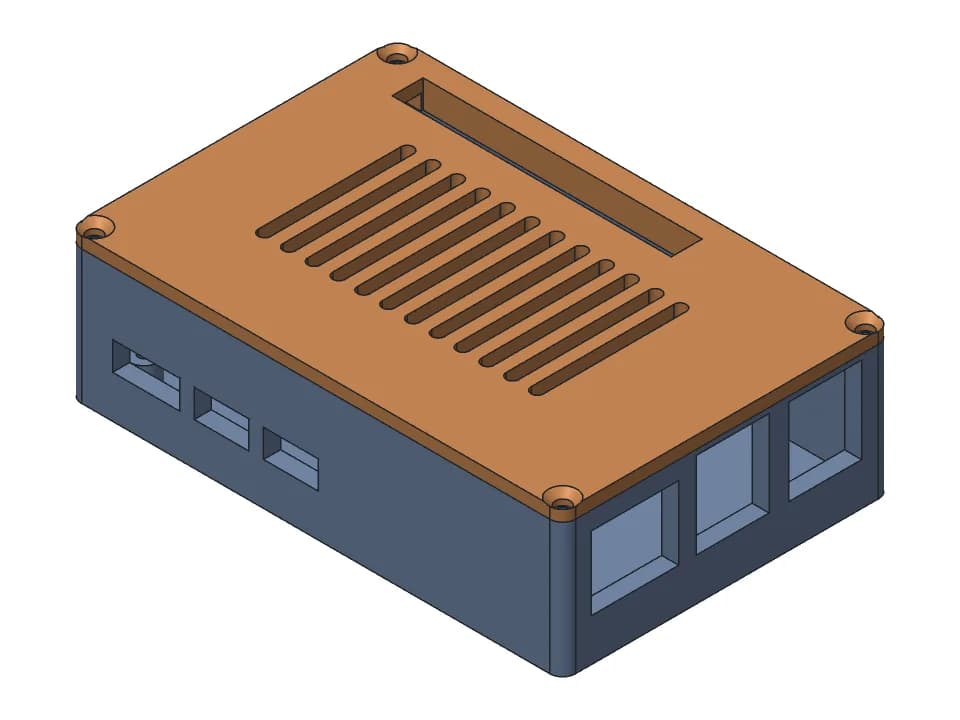
Raspberry Pi 5 case
Two-part Pi 5 case: base with screw bosses and port openings, vented lid screwed on with M2.5.
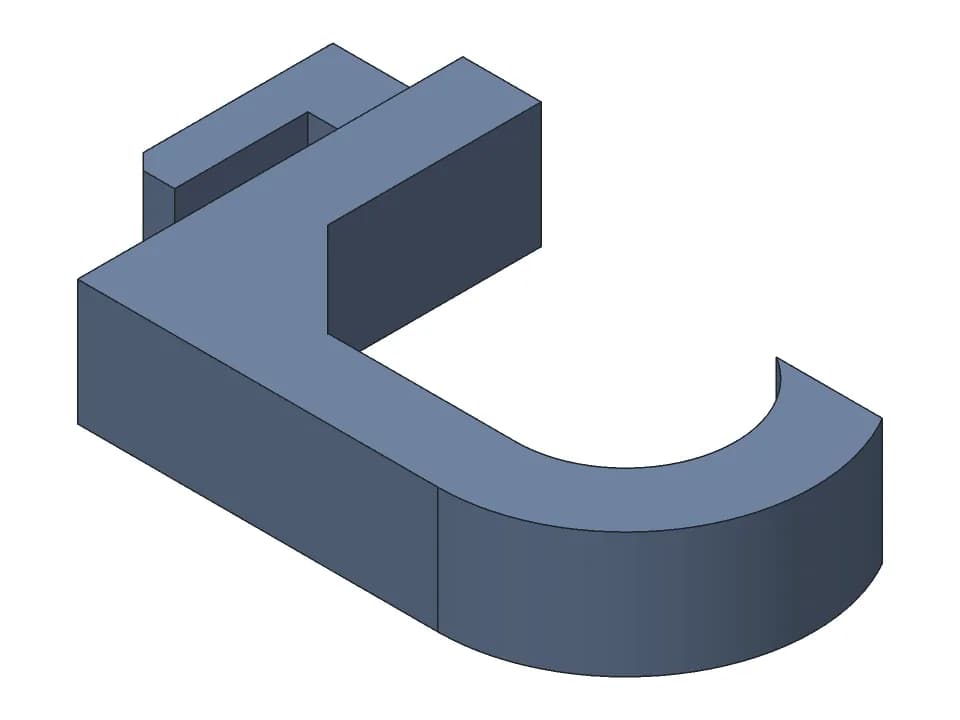
Skadis hook
One-piece hook for the IKEA Skadis pegboard: set the depth and the cup, print it on its side.
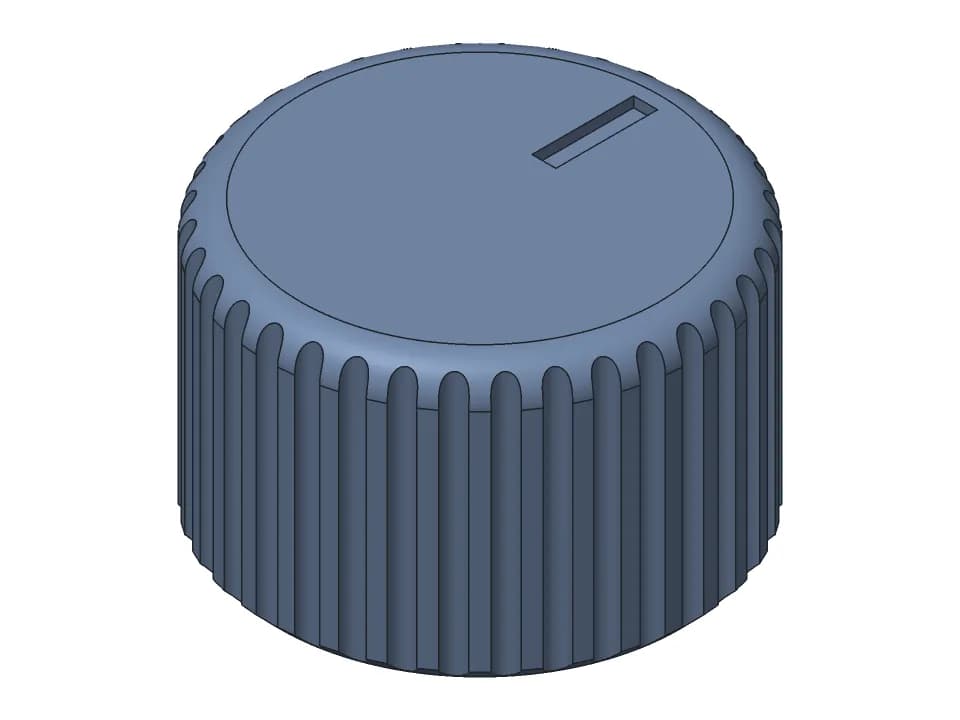
D-shaft knob
Knurled 25 mm knob for a 6 mm D-shaft, with a pointer line on top and an optional M3 set screw.
Free tools for the design rules above
Gear generator
Spur gear pairs that mesh and turn, with the ratio, FDM backlash and a collision check.
3D print hinge generator
Print-in-place hinges and hinged boxes, with the gap checked through the swing.
Snap fits for 3D printing
Cantilever snap fits sized for FDM: strain per filament and print direction, STL to test.
3D print tolerances
A clearance chart for FDM fits, and one small print that measures your own printer.
Want the whole picture of what an AI CAD agent does? See the home page, or read text to CAD explained.