
Text to CAD: describe a part, get a CAD model you can edit
Text to CAD is the use of AI to turn a written description of a part (its shape, dimensions and features) into a CAD model: a solid with exact dimensions, usually with the parameters or code that built it, that you can export as STEP for CAD software and as STL or 3MF for a 3D printer. Unlike text-to-3D mesh generators, which make a surface of triangles shaped like the object, text to CAD gives you a part you can measure and change: make the wall thicker, move a hole, and the model rebuilds.
By the buildcad team · Updated
Try it: describe a part
Text to CAD vs text to 3D mesh
Both start from a prompt, and both can end in an STL file for your printer, which is why they are easy to confuse. What sits behind the STL is different.
| Text to CAD | Text to 3D mesh (for example Meshy) | |
|---|---|---|
| What you get | A solid (B-rep): exact faces, edges and true circles, usually with the parameters or code that built it | A surface of triangles shaped like the object |
| Dimensions | Exact: a 3.4 mm hole is 3.4 mm | Approximate: scaled to a size, details are not measured |
| Changing it later | Change a parameter (wall, hole, length) and the model rebuilds | Edit triangles by hand or generate again |
| Files | STEP for CAD and machining; STL and 3MF for printing | GLB, OBJ, FBX, STL: meshes |
| Good for | Brackets, enclosures, adapters, mounts, gears, boxes: parts that must fit | Figurines, characters, decorations, game assets |
A rule of thumb: if the part has to fit something (a screw, a board, a shaft, a shelf), you want CAD. If it only has to look right, a mesh generator is often the better tool. In CAD terms the difference is the B-rep, short for boundary representation: the model knows that a face is a plane or a cylinder of a given radius, not just a set of triangles, which is what lets other CAD tools open the STEP file and keep working on it.
A real run
One prompt to a Raspberry Pi 5 case
This is one run of buildcad's agent: the request as it was typed, an edited account of what the agent did, and the model it produced, which you can change below.
The request
“A two-part case for a Raspberry Pi 5 with openings for all ports, a vented lid, and screw bosses for the board's mounting holes.”
- 1
It read the board data first
The agent loaded the Pi 5 entry of the parts library, taken from the Raspberry Pi mechanical drawing: an 85 x 56 mm board, four 2.7 mm holes in a 58 x 49 mm pattern, the connector positions on each edge, and a note that Ethernet and USB overhang the right edge by about 3 mm. The drawing gives no board thickness or connector heights, so it used Pi 4 values (1.4 mm, USB 16 mm, Ethernet 13.5 mm).
- 2
First build
The base and lid built as valid single bodies, with the eight 2.2 mm screw pilots it planned, four 2.9 mm lid holes and a base of 95.6 x 63.6 x 25.9 mm. Neither part needed supports.
- 3
A stand-in board caught a collision
The agent placed a simple board model with connector housings in the case. It overlapped the base by 1.13 mm: a plain rectangle with square corners reaches into the corner posts for the lid screws. Rebuilt with the board's 3 mm rounded corners and its mounting holes, the stand-in board cleared the base, and the lid sat 1.5 mm above it.
- 4
It checked the lid and every opening
Lifting the lid 2 mm showed a 0.2 mm gap between its lip and the walls, with no overlap when seated. Rays through each opening at mid height and at the connector top passed free for USB-C, both micro-HDMI, Ethernet, both USB stacks, the power button and the microSD slot. The slider sweep rebuilt all 16 extremes.
- 5
What it left to the maker
The agent's reply says it did not test-print the case, names the assumed heights and the uncertain microSD and power button positions, and suggests printing the front wall to check the plug fit.
- 6
Our change
We made the model an assembly: the lid sits on the walls where it is screwed down, so the viewer shows the closed case, and the print plate turns the lid upside down for the downloads. Both parts are otherwise unchanged.
5 min 5 s and about $0.68 of model time at list price (claude-sonnet-5-5). Designed with buildcad's AI agent, checked by the buildcad team.
Parameters
Sliders and downloads are free. Changes by the AI designer use credits like any design; new accounts start with free ones.
More prompts and what they made
Each card is the exact request given to the agent and the model it built, now in the Library with its sliders, measured values and print notes. Run times and costs are for that one run. None of these has been printed by us yet: the pages say what was measured on the model, not on a print.
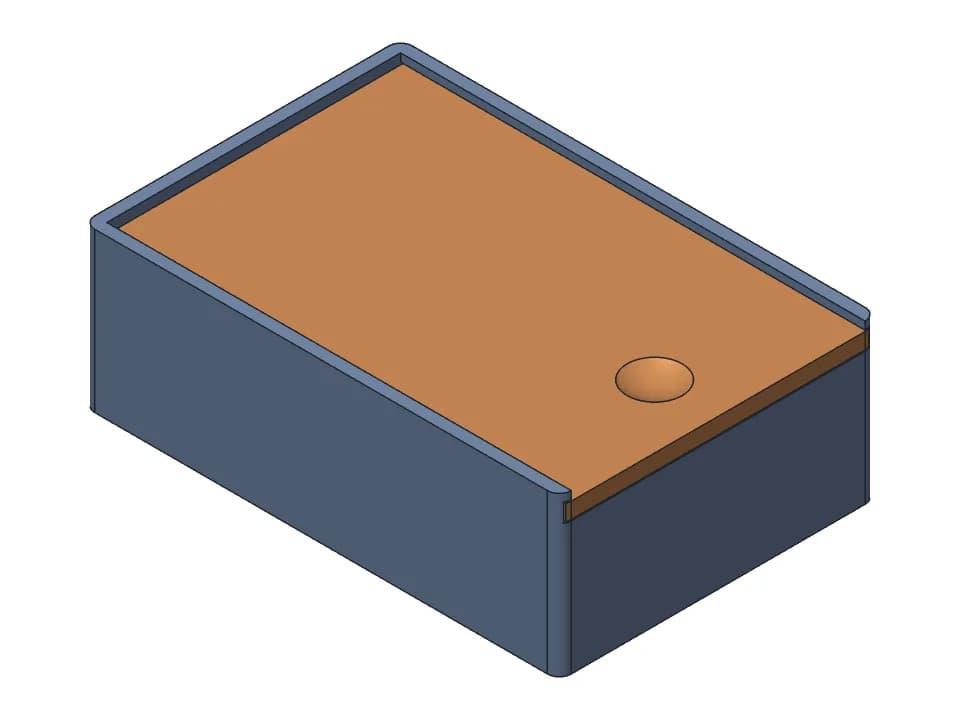
Prompt
“A box with a sliding lid that runs in grooves, about 120 x 80 x 40 mm, with a finger notch on the lid and a stop so the lid doesn't slide out the closed end.”
Sliding-lid box
10 sliders · 1 min 35 s · about $0.21 of AI time
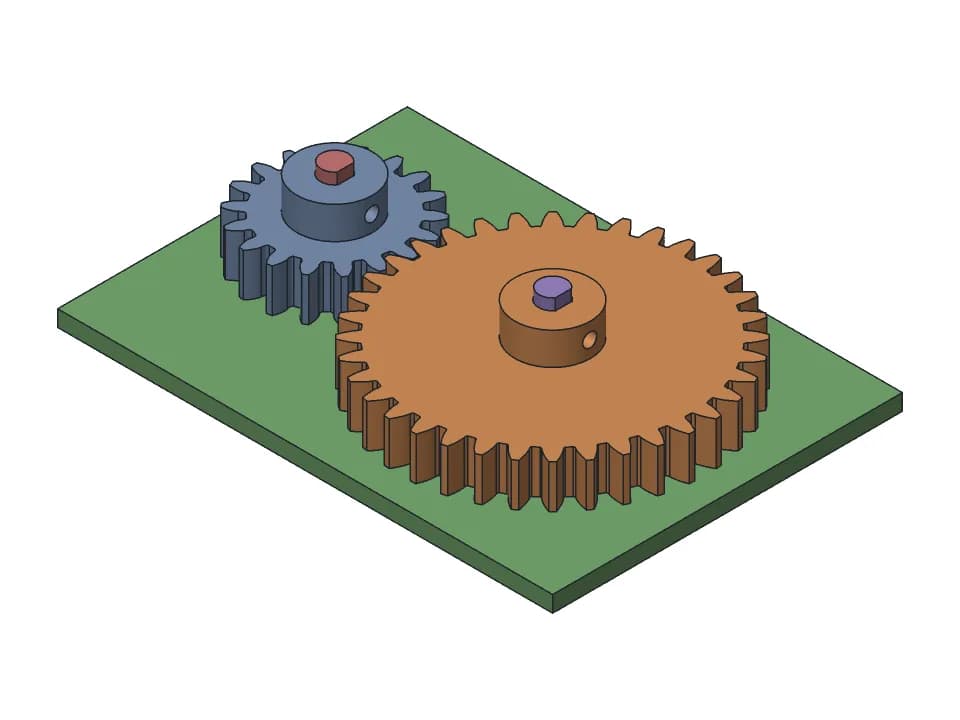
Prompt
“A pair of spur gears for a 3D printed project: module 1.5, 18 and 36 teeth, 8 mm face width, each with a hub and an M3 set screw boss for a 5 mm D-shaft. Make module, teeth, bore and hub size adjustable.”
Spur gear pair
11 sliders · 2 min 5 s · about $0.18 of AI time
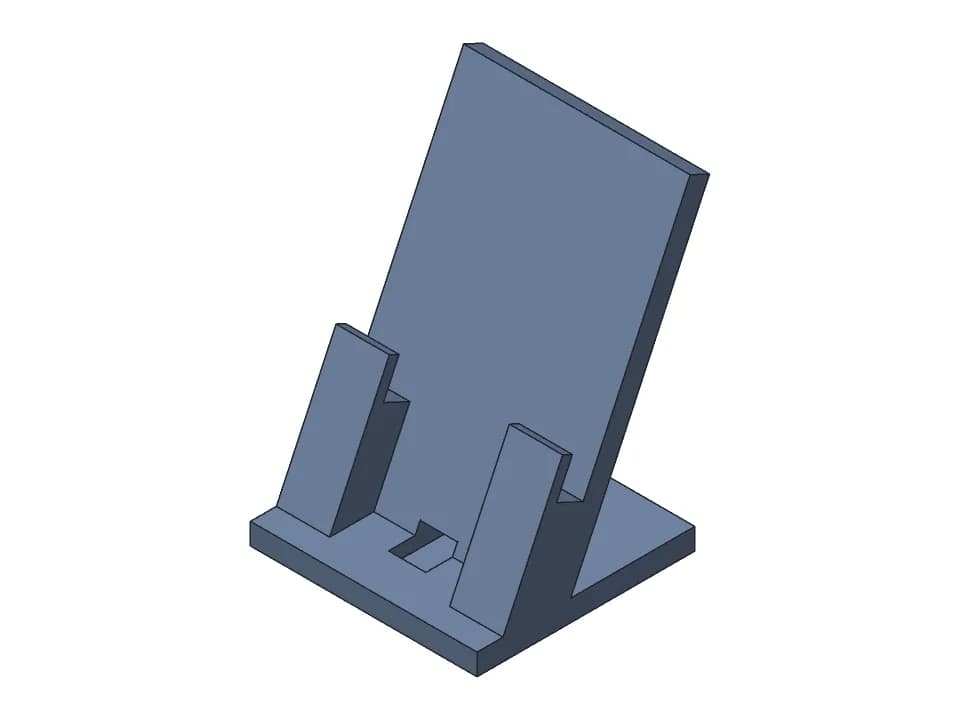
Prompt
“A desk phone stand for phones up to 10 mm thick with a case, holding the phone at about 65 degrees, charging while it stands: leave room under the phone for a straight USB-C plug and a slot to route the cable out the back.”
Phone stand
14 sliders · 4 min 16 s · about $0.57 of AI time
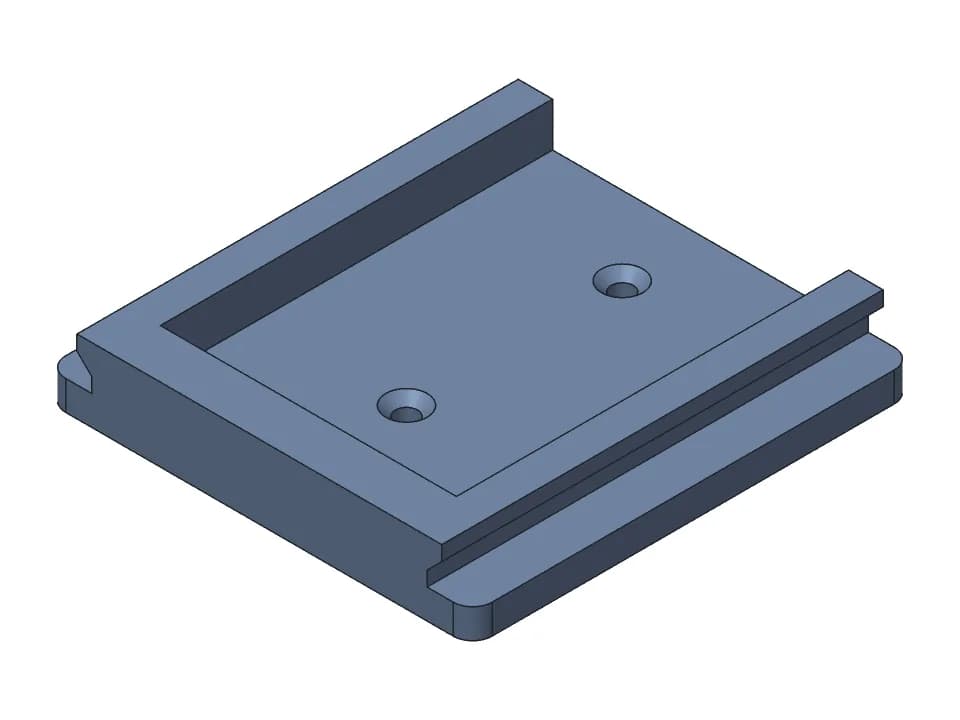
Prompt
“A wall mount for an 18 V slide-on power tool battery pack (about 75 mm wide rails), screws to the wall with two countersunk screws. Rail width adjustable.”
Battery wall mount
11 sliders · 1 min · about $0.11 of AI time
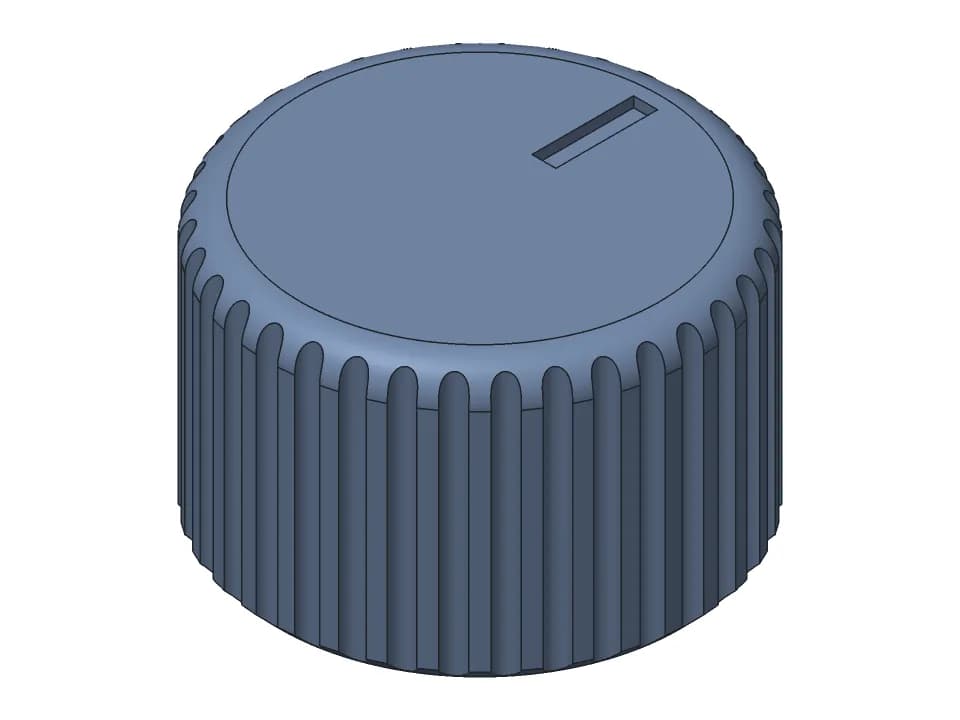
Prompt
“A replacement knob for a 6 mm D-shaft potentiometer, 25 mm diameter, knurled grip, pointer line on top.”
D-shaft knob
10 sliders · 3 min 6 s · about $0.36 of AI time
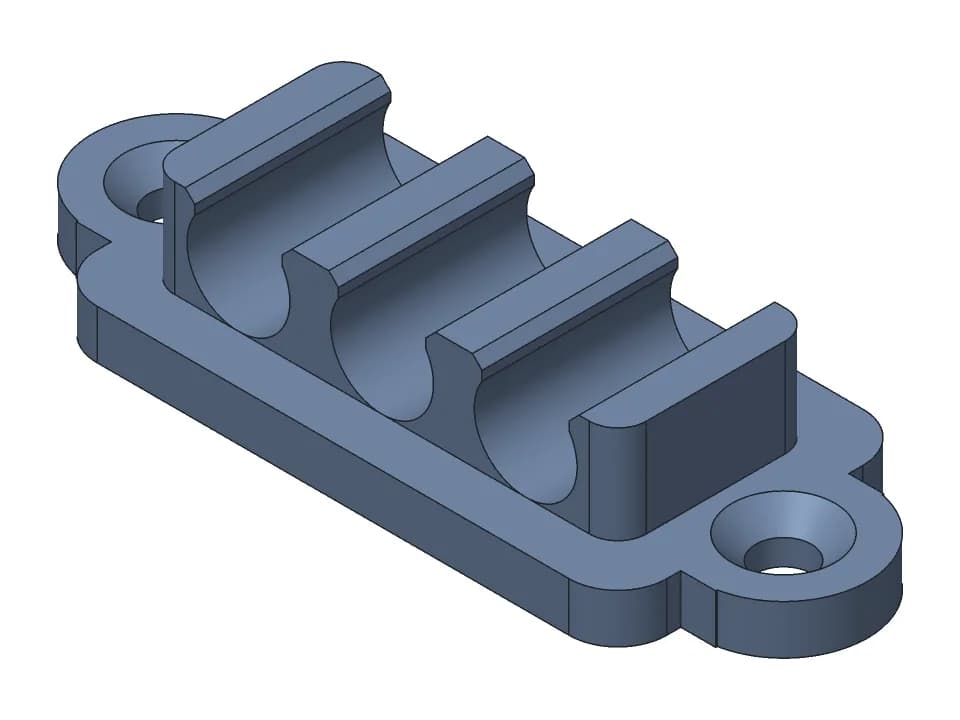
Prompt
“A desk cable clip that holds 3 round cables side by side, cable diameter adjustable (default 6 mm), with a screw hole or adhesive pad base.”
Cable clip
9 sliders · 1 min 20 s · about $0.17 of AI time
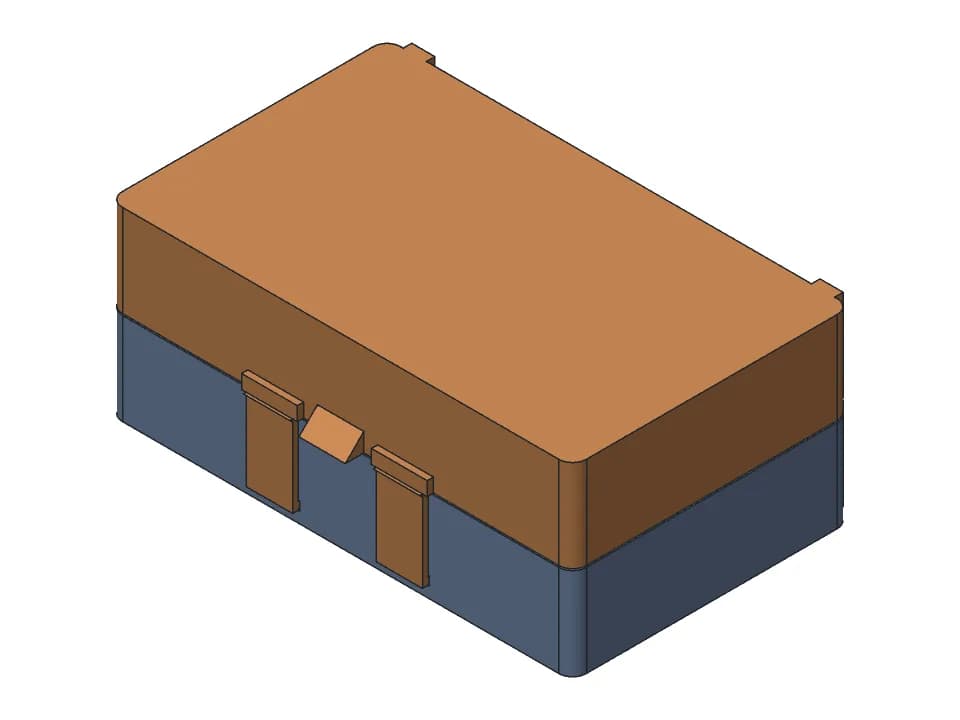
Prompt
“A small hinged box with a print-in-place hinge and a snap latch, about 100 x 60 x 40 mm outside, 2 mm walls. Size adjustable.”
Hinged box
5 sliders · 5 min · about $0.56 of AI time
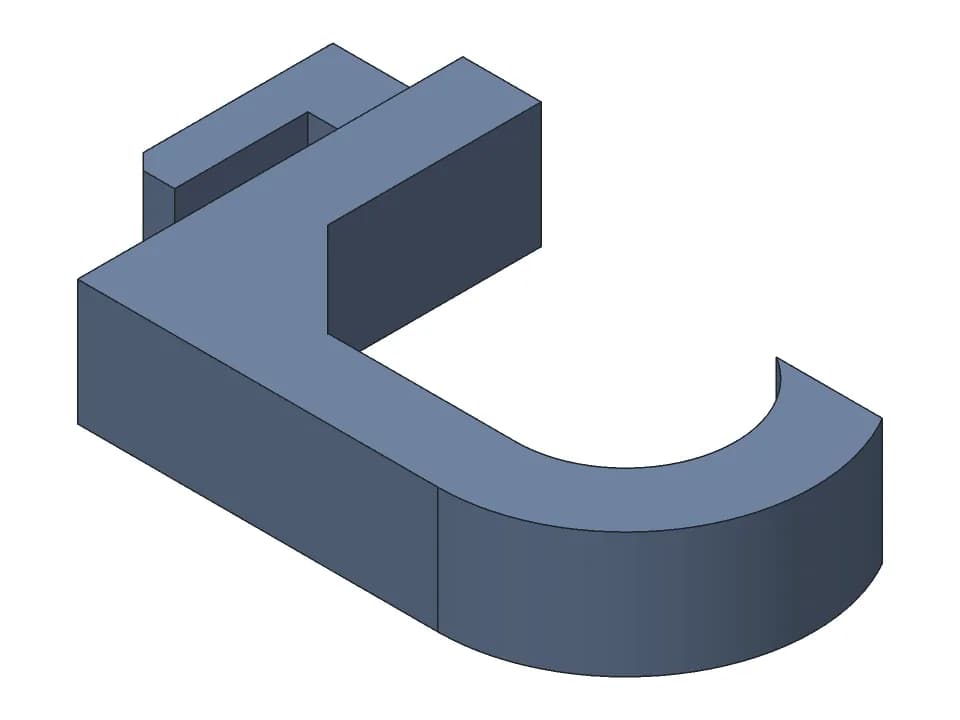
Prompt
“An IKEA Skadis pegboard hook: plugs into the board's slots, hook depth and hook diameter adjustable, strong enough for a few kilos.”
Skadis hook
6 sliders · 4 min 31 s · about $0.52 of AI time
How buildcad turns text into CAD
buildcad is an AI CAD agent built for 3D-printable parts. Behind the chat it does what a careful designer does, in this order:
- It writes the requirements first. Every dimension, clearance and count from your message (and from data it knows, such as a board's mechanical drawing) becomes a check with a way to measure it on the model, for example “M3 clearance holes 3.4 mm, 4 of them” or “lid gap 0.15 to 0.35 mm”.
- It writes the model as code. A build123d script (Python on the OpenCascade CAD kernel) with every dimension that matters as a named parameter with a range: those become your sliders.
- It runs and measures it. Each run returns whether every part is a valid solid, its size, its holes by diameter, the measured value of each requirement, overhangs that would need support, whether it fits a 256 mm printer, and rendered views.
- It fixes what fails, and before finishing rebuilds the model at every slider's minimum and maximum to make sure the ranges it offers are real. Moving parts are turned through their range with every pose checked for collisions.
- You get a model, not a file. Sliders for the parameters, a proof panel with what was measured, STL, 3MF and STEP downloads, and a chat to ask for the next change (“make it 5 mm taller”, “add a second hook”).
You can attach photos or sketches to the description too. Add a ruler or the key measurements: a picture gives the shape, not the size.
Text-to-CAD tools compared
What each tool takes and what it gives you back, from each company's own site in October 2026 (prices are list prices before tax). They are aimed at different people; the right one depends on what you have (a description, a scan, a drawing) and what you will do with the model.
| Tool | You give it | You get | Files | Price |
|---|---|---|---|---|
| buildcad | Text, photos or sketches, with measurements | A parametric build123d model with sliders, measured checks and a chat for changes | STEP, STL, 3MF | 200 free credits; Maker $12/month; free through MCP |
| Zoo (Zookeeper in Zoo Design Studio) | Text prompts, images, sketches | KCL code that builds the model on Zoo's own CAD engine, editable with point-and-click or code | STEP, STL, glTF/GLB, OBJ, PLY | Free with $10 of monthly usage; Plus $20/month |
| Adam (CADAM) | Text and images | Parametric OpenSCAD code, compiled in the browser | STL, SCAD, DXF | Free daily allowance; paid plans |
| TextoCAD | A text prompt | An editable model with dimension sliders and a feature tree, in the browser | STEP, STL | 2 free generations; paid from $7.99/month |
| Backflip | A 3D scan or mesh (STL, OBJ, GLB, PLY), a drawing or a photo | A parametric feature tree or a STEP solid | STEP, native Fusion features | 50 free credits; Builder $20/month |
| ChatGPT + OpenSCAD | A chat prompt | OpenSCAD code you paste into OpenSCAD and render yourself | STL, 3MF (no STEP) | Your chatbot plan; OpenSCAD is free |
| Meshy (mesh, for comparison) | Text or an image | A textured 3D mesh | GLB, FBX, OBJ, USDZ, STL, 3MF | Free 100 credits a month; Pro EUR 19/month |
buildcad
Built for functional 3D-printable parts. Every design is code with named parameters, measured against requirements written before modelling, rebuilt at every slider's extremes, and downloadable as STEP, STL and 3MF. Moving parts are checked through their motion. It is not meant for sculpted or decorative shapes.
Zoo (Zookeeper in Zoo Design Studio)
Zoo built one of the first public text-to-CAD tools and has folded it into Zookeeper, a CAD agent inside its own desktop and browser CAD app, Zoo Design Studio. The model is KCL, Zoo's own CAD language, so you keep editing in Zoo. A strong choice if you want a full CAD app with an AI in it; note that on the free plan share links are public and Zoo can train on your data.
Adam (CADAM)
Adam started as a text-to-CAD web app and now presents itself as an AI copilot for hardware teams that works inside Onshape and Autodesk Fusion. Its text-to-CAD app, CADAM, is open source and generates OpenSCAD code: parametric and easy to tweak, but mesh output, so no STEP from that path.
TextoCAD
A browser text-to-CAD tool close in spirit to buildcad: describe a part, adjust it with sliders, export STEP or STL. Slider edits and exports are free; new generations come from a small free allowance or a monthly plan.
Backflip
Not text to CAD in the strict sense: Backflip turns scans and meshes into CAD (and has drawing and photo to CAD), with a Fusion add-in. It is the right tool when you have an STL or a scan and need an editable solid back.
ChatGPT + OpenSCAD
A general chatbot can write OpenSCAD (or CadQuery) code, and it is a fine way to learn. But it does not run or see the model: wrong sizes, parts that do not touch or overlap, and code that fails to render only show up when you run it, and every fix is another round trip. Dedicated tools close that loop by running and measuring the model themselves.
Meshy (mesh, for comparison)
A text-to-3D mesh generator, not text to CAD: made for figurines, characters and decorations, with print-ready STL and 3MF, but no exact dimensions, no STEP and no parameters to change. Use it for things that only have to look right.
How to write a good text-to-CAD prompt
The AI can only be as exact as the numbers it gets. A good request says:
- What the part is for and what it fits: “a bracket that holds a 25 mm tube against a wall”, not “a bracket”.
- The measurements you know, in mm, and which ones are critical. Measure with calipers; name the hardware (M3 screws, 608 bearing, 5 mm D-shaft).
- How it prints: “no supports”, “fits a 180 mm bed”, “PETG”.
- How it attaches or moves: screws, snap fit, slides in, hinged lid, clamps on a 20 mm desk edge.
- What you may want to change later: those become sliders (“tube diameter adjustable”).
Vague
“A holder for my drill battery.”
The AI has to guess the battery, its rails, the screws and the wall: you get a plausible shape that may not fit.
Specific
“A wall mount for an 18 V slide-on power tool battery pack (about 75 mm wide rails), screws to the wall with two countersunk screws. Rail width adjustable.”
The request behind the battery wall mount in the Library: one build, every check in range, rail width as a slider.
What text to CAD does not do well yet
- Guess measurements it was not given. When buildcad assumes one (a board thickness, a connector height), it says so; check those first.
- Organic and sculpted shapes: figurines, ergonomic handles, faces. Use a sculpting tool or a mesh generator.
- Large assemblies with many interacting parts and freeform surfaces: a parametric CAD tool in skilled hands is still faster.
- Replace a test print. Measured on the model is not measured on the part: print the critical fit first.
Text to CAD from Claude, Cursor and other AI assistants
If you already work in Claude, Claude Code, Cursor or Windsurf, you do not need our chat: the buildcad CAD MCP server gives your assistant the same tools our agent uses. It reads our CAD guide, writes the build123d model, runs it on our CAD engine to get measurements, checks and pictures, and saves the design to your account, where it opens with sliders and STL, 3MF and STEP downloads. It is free to use: your own AI subscription pays for the thinking.
Set up the CAD MCP serverFAQ
Questions about text to CAD
What is text to CAD?
Text to CAD is the use of AI to turn a written description of a part into a CAD model: a solid with exact dimensions, usually with the parameters that built it, that you can export as STEP for CAD software or STL and 3MF for 3D printing. It differs from text-to-3D mesh generators, which produce a triangle surface shaped like the object, without exact dimensions or editable features.
Can ChatGPT create a CAD file?
ChatGPT can write code for a code-based CAD tool such as OpenSCAD or CadQuery, and you can run that code yourself to get an STL or STEP file. It does not see or measure the result, so hole sizes, wall thickness and fits are unchecked, and errors show up only when you run the code. A dedicated text-to-CAD tool runs the model, checks it and gives you the files.
Is there a free text-to-CAD tool?
Several have free tiers: Zoo's free plan includes $10 of usage a month, TextoCAD gives 2 free generations, and Adam's CADAM is open source. buildcad gives new accounts 200 free credits (a design usually uses 30 to 150, about 30 cents to 1.50 dollars of AI time), and its MCP server is free to use from Claude, Cursor or another MCP client with your own AI subscription. Moving the sliders and downloading STL, 3MF or STEP does not use credits; only the AI's work does.
What file formats does text to CAD give you?
Real text-to-CAD tools give you STEP, the standard exact-solid format that opens in SolidWorks, Fusion, Onshape and FreeCAD, plus STL or 3MF for slicers. buildcad exports all three for every design, and saves the model as build123d code with named parameters.
Can I edit a text-to-CAD model in SolidWorks or Fusion?
Yes, through STEP: it opens as solid bodies with real faces and edges you can measure, fillet and cut. The feature history does not transfer (STEP carries the geometry, not the steps), so the easiest edits are the ones you make with the generated parameters before you export, or by asking the AI for the change.
How accurate is text to CAD?
The geometry is exact to the numbers the model uses, so the question is whether those numbers are right. Give the measurements you know; where the AI has to assume one (a board thickness, a connector height), check it. buildcad measures each requirement on the model and shows the measured value, and says what it assumed. A check on screen is not a printed part: print a test of the critical fit.
Can text to CAD make assemblies and moving parts?
Some can. buildcad builds multi-part designs (a case and its lid, a gear pair, a hinged box) and, for moving parts, turns the joints through their range with every pose checked for collisions. Large assemblies with many interacting parts are still faster in a parametric CAD tool.
Can I start from a photo or a sketch instead of text?
Yes, in buildcad you can attach photos or drawings to the description (image to CAD). Put a ruler or calipers in the photo, or write the key measurements: a photo alone gives shape, not size.
Describe your part
Say what it fits and the measurements you know. You get a CAD model with sliders, the measured checks, and STL, 3MF and STEP files.
New to CAD for printing? Read the guide to CAD for 3D printing.