CAD MCP server for Claude, Cursor & more
Connect BuildCAD AI to any AI assistant with our MCP server. Design 3D CAD models through natural conversation using your own AI subscription. Free to use.
Works with Claude, Cursor, Windsurf, Claude Code, Cline & any MCP-compatible client
What is MCP?
Model Context Protocol: a universal plugin for AI
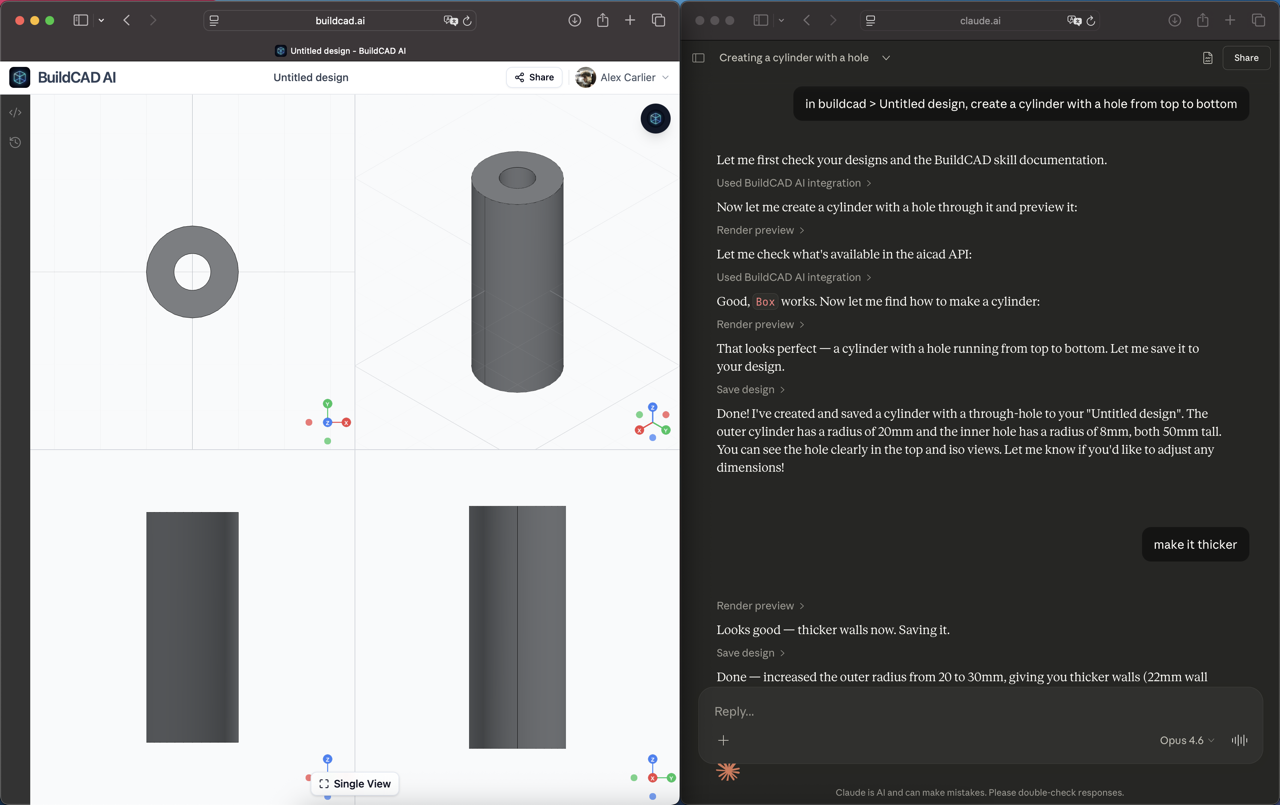
MCP is an open standard by Anthropic that lets AI assistants connect to external tools. Instead of copy-pasting code or switching between apps, your AI talks directly to BuildCAD AI to create, preview, and save CAD designs.
- Open standard, not locked to any single AI provider
- Your AI subscription pays for the tokens, BuildCAD AI is free
- Works in Claude, Cursor, Windsurf, Claude Code, and more
CAD MCP tools
Everything your AI needs to design CAD
The MCP server exposes four tools that give your AI assistant full control over your BuildCAD AI designs.
list_designs
List all your CAD designs with IDs, names, and timestamps
get_design_code
Read the current llmcad Python code for any design
render_preview
Render multi-view PNG snapshots (front, right, top, iso) of your CAD code
save_design
Commit code to a design with version history and git tracking
Setup guide
Connect in 2 minutes
Choose your AI assistant and follow the steps below. You'll need a free BuildCAD AI account first.
1Claude (claude.ai)
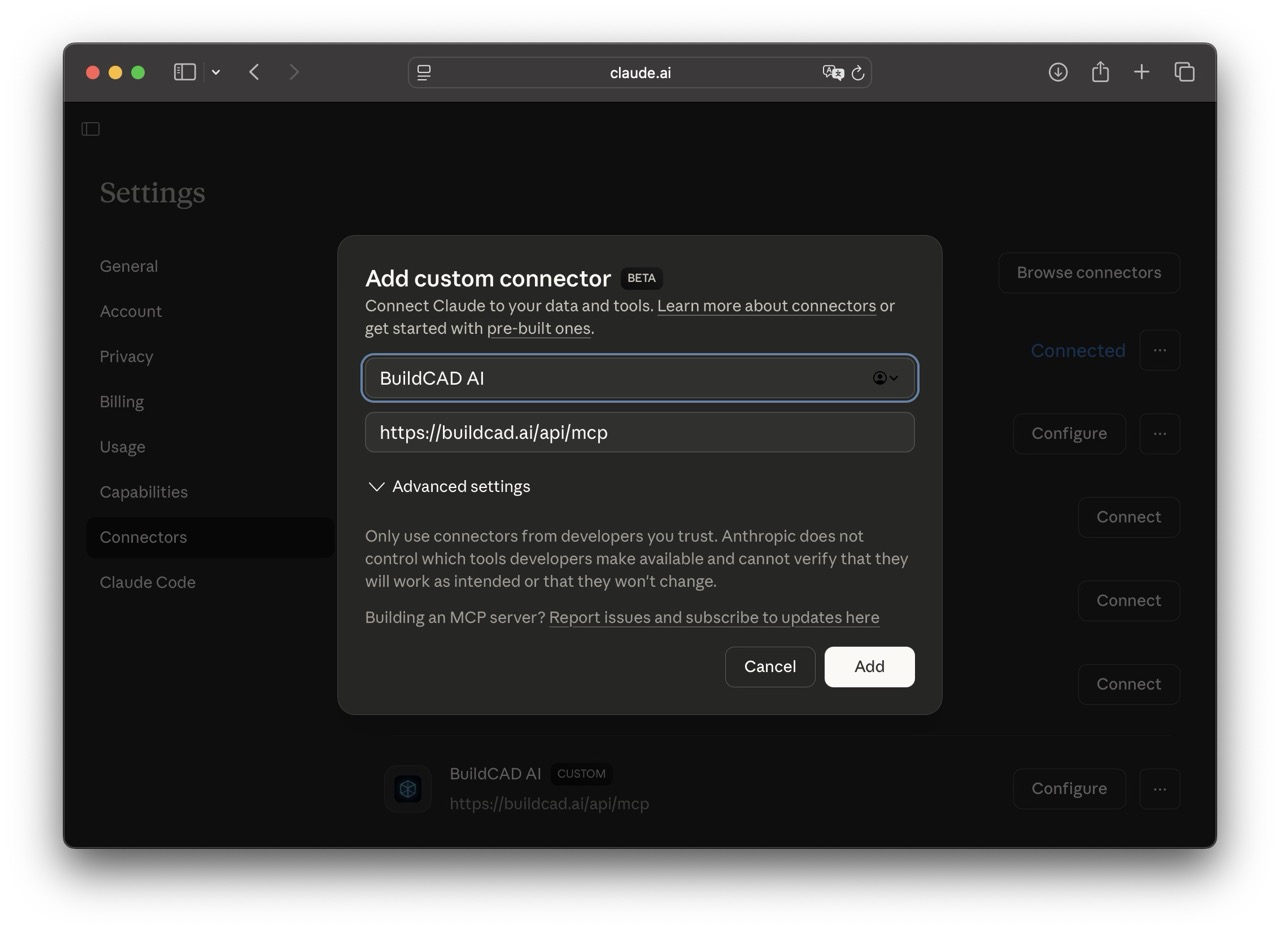
- 1.Open Claude settings and go to the Connectors tab
- 2.Click Add custom connector
- 3.Enter name
BuildCAD AIand URLhttps://buildcad.ai/api/mcp - 4.Click Add and you're done!
2Claude Code
Run this command in your terminal:
claude mcp add buildcad-ai https://buildcad.ai/api/mcp3Cursor, Windsurf & others
Add this to your MCP configuration file (e.g. .cursor/mcp.json, claude_desktop_config.json, etc.):
{
  "mcpServers": {
    "buildcad-ai": {
      "type": "streamable-http",
      "url": "https://buildcad.ai/api/mcp"
    }
  }
}4Try it out
Once connected, try asking your AI:
Why use MCP
CAD design from your favorite AI tool
Free to use
The MCP server is free. Your AI subscription handles the tokens, no extra cost for BuildCAD AI.
No context switching
Design CAD directly from Claude, Cursor, or your coding IDE. No need to open another app.
Full programmatic control
Your AI can read, write, preview, and save designs. Build complex automation workflows.
FAQ
Frequently asked questions
Everything about using BuildCAD AI with MCP. Can’t find what you’re looking for? Get in touch.
What is an MCP server?
Is the BuildCAD AI MCP server free?
Which AI assistants support MCP?
What can I do with the BuildCAD AI MCP server?
Do I need a BuildCAD AI account?
How does this compare to using BuildCAD AI directly?
Start designing CAD with your AI
Connect the BuildCAD AI MCP server and design 3D CAD models through natural conversation. Free to use with your own AI subscription.