
Planetary gear calculator and generator
Enter the teeth on the sun and the planets and the number of planets: the calculator gives the ring, the gear ratio for each member you can hold still, and whether the set assembles. Or type the ratio you need and get tooth counts that work.
- Free, no account to download
- STL, 3MF and STEP
- Motion checked for collisions
Planetary gear ratio calculator
Ring teeth = sun + 2 x planet = 48
- Planets spaced evenly: (sun + ring) / planets = 20
- Neighbouring planets clear each other
- A gear has under 17 teeth: it needs a profile shift to avoid undercut (the generator handles it)
Find tooth counts for a ratio (ring held)
with 3 planets, every gear 12 to 80 teeth
| Held still | Input to output | Ratio |
|---|---|---|
| Sun to Carrier1 + ring / sun | 5:1same direction | |
| Sun to Ringring / sun | 4:1reversed | |
| Ring to Carrier1 + sun / ring | 1.25:1same direction |
With the ring held still, the sun turns 5 times for each turn of the carrier, in the same direction. At 60 rpm in, the carrier turns at 12 rpm.
Generate the planetary set in 3D
Parameters
Loading the sliders...
Sliders and downloads are free. The AI designer uses credits; new accounts start with free ones.
Below it, the generator builds the set in 3D (sun and planets 9 to 30 teeth, 2 to 5 planets) with the ring held and the sun driving, turns it on our CAD engine with every pose checked for collisions, and gives you STL or 3MF to print and STEP to build a gearbox around it. By default it is a print-in-place fidget: herringbone teeth and a captive carrier, all in one print. Switch Print in place off for a reducer printed in parts, with spur teeth and an optional bore for a motor shaft.
Start from an example
Finished designs from the Library to start from: open one, set its sliders, download it or change it with AI.
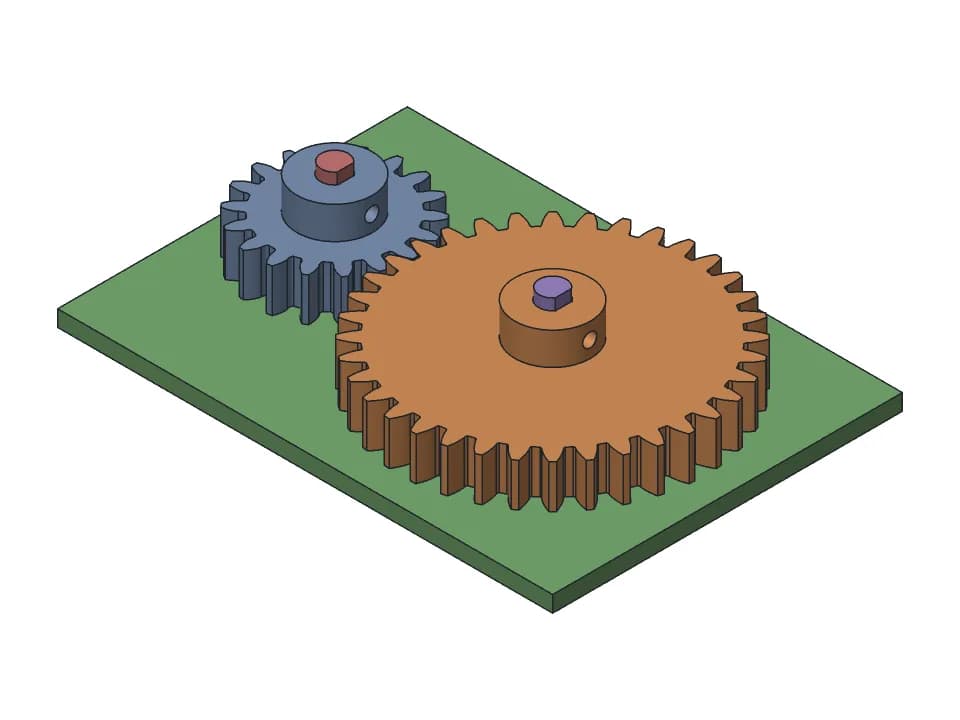
Spur gear pair
18 and 36 tooth spur gears with D-shaft bores and M3 set screw hubs, module 1 to 3.
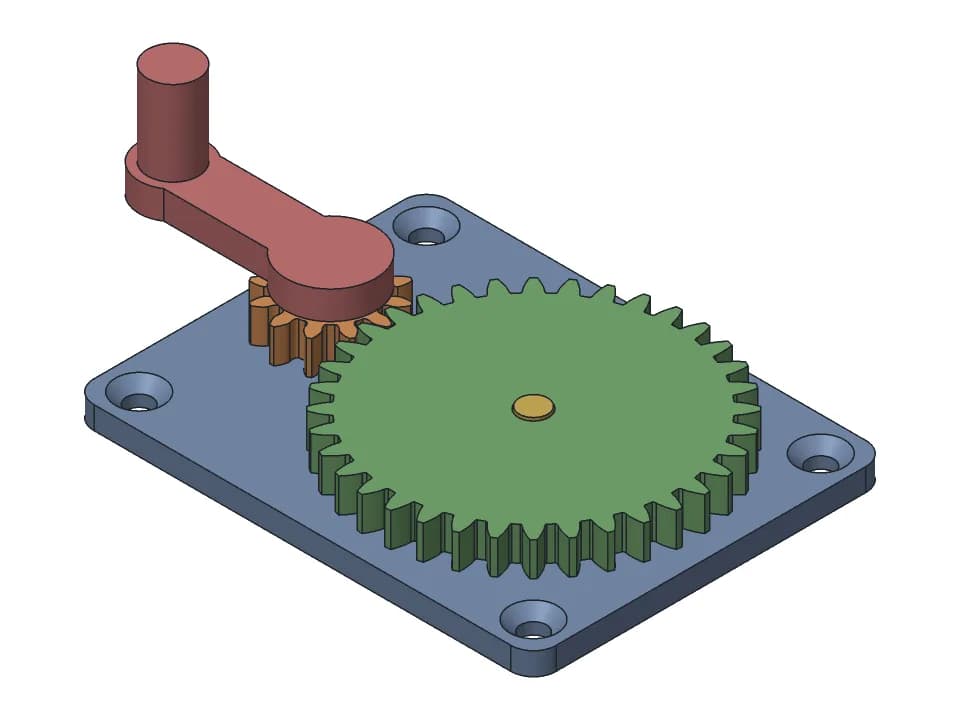
Hand-crank gearbox
A 3:1 gear reduction you turn by hand: two gears on steel pins, a crank and a plate to screw down.
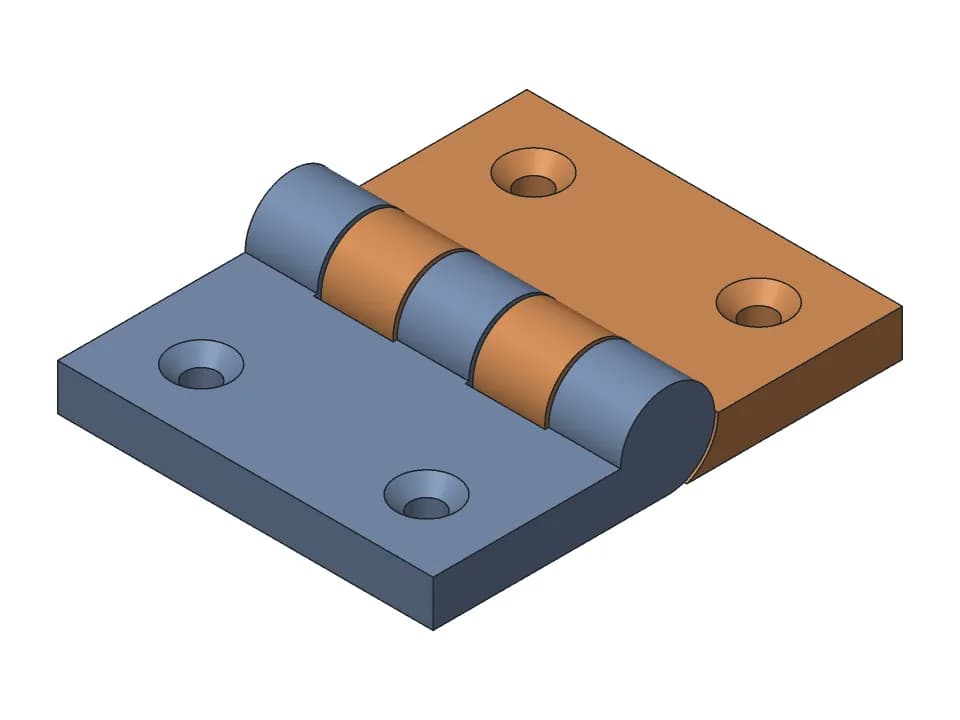
Print-in-place hinge
One-piece hinge that prints flat: countersunk holes, a 180 degree swing, a stop at flat and folded.
How to pick the teeth of a planetary set
Three rules decide which tooth counts make a working planetary gear set:
- Ring teeth = sun teeth + 2 x planet teeth. The planets must fit between the sun and the ring.
- For planets spaced evenly, (sun teeth + ring teeth) must divide by the number of planets.
- Neighbouring planets must not touch: with a small sun and big planets, use fewer planets.
ratio (ring fixed, sun in, carrier out)= 1 + ring teeth / sun teeth
| Sun | Planets | Ring | Planets in the set | Ratio, ring fixed |
|---|---|---|---|---|
| 24 | 12 | 48 | 3 or 4 | 3:1 |
| 12 | 12 | 36 | 3 or 4 | 4:1 |
| 15 | 15 | 45 | 3 or 4 | 4:1 |
| 12 | 18 | 48 | 3 or 4 | 5:1 |
| 12 | 24 | 60 | 3 | 6:1 |
Other ways to drive it
Hold the carrier and drive the sun: the ring turns backwards at ring / sun (3:1 for 12 and 36). Hold the sun and drive the ring: the carrier turns the same way at 1 + sun / ring (1.33:1). The 3D generator holds the ring and drives the sun, and gives the ratio it measured on the turning parts. If the planets can't be spaced evenly, it moves the planet teeth to the nearest count that works and says so.
Printing a planetary set
- Give it more play than a plain pair: 0.3 mm of backlash is a good start. The print-in-place fidget starts at a 0.35 mm gap (0.2 to 0.5 mm).
- Print every gear flat, with 5 or more walls; PETG lasts longer than PLA.
- A module of 1.25 to 1.5 mm keeps teeth printable on a 0.4 mm nozzle while the set stays compact.
- Print one stage and turn it by hand before you stack stages for a bigger reduction.
| Feature | Start with | Range | Notes |
|---|---|---|---|
| Gear backlash | centre distance + 0.15 mm | +0.10 to +0.30 | Planetary sets often need 0.3 to 0.5 mm |
| Gear bore on a D or hex shaft | +0.2 mm | +0.15 to +0.3 | No press fit on a smooth printed bore: it creeps |
| 608 bearing pocket (22 mm) | 22.15 mm | 22.1 to 22.3 | Axis vertical, with an entry chamfer |
| First layer (elephant foot) | 0.5 mm x 45 deg chamfer | 0.3 to 1.0 mm | On the bottom edges of both mating parts; never start a moving gap on layer 1 |
What the motion check does
The sun, the planets and the ring are turned together through a full cycle on our CAD engine, and the gaps between every pair of gears are measured at each pose. The line under Play gives the smallest clearance found; if teeth touch anywhere, it says where and the parts turn red at that point of the motion.
FAQ
Questions about the planetary gear calculator
How do I calculate a planetary gear ratio?
With the ring held still, the sun as input and the carrier as output, the ratio is 1 + ring teeth / sun teeth. A 12 tooth sun with a 48 tooth ring gives 1 + 48/12 = 5:1. With the carrier held, the ring turns backwards at ring / sun.
What tooth counts work for a planetary gear set?
Ring teeth = sun teeth + 2 x planet teeth, so the planets fit between the two. For planets spaced evenly, (sun teeth + ring teeth) must divide by the number of planets. Example: sun 12, planets 18, ring 48 with 3 planets: (12 + 48) / 3 = 20, so it works.
How much clearance does a printed planetary need?
More than a plain gear pair: the planets mesh with two gears at once, so errors add up. Makers usually run 0.3 to 0.5 mm of backlash, or shrink the planets slightly. Start at 0.3 mm and print one stage before a whole gearbox.
Which member of a planetary gear set should be fixed?
Hold the ring for the biggest reduction in one stage (1 + ring / sun, typically 3:1 to 10:1), with input on the sun and output on the carrier: this is what most printed gearboxes do. Hold the carrier to reverse the direction (ring / sun). Hold the sun for a small step (1 + sun / ring).
Is the planetary gear generator free?
Yes. Moving the sliders, watching the check and downloading STL, 3MF or STEP are free with no account. Saving to your designs needs a free account.
More free tools
Designing the rest of the part yourself? The guide to CAD for 3D printing compares the software and gives the FDM rules for walls, holes, overhangs and tolerances.
Gridfinity generator
Gridfinity bins and baseplates to the spec, baseplates sized to your drawer and split for your bed.
Gear generator
Spur gear pairs that mesh and turn, with the ratio, FDM backlash and a collision check.
3D print hinge generator
Print-in-place hinges and hinged boxes, with the gap checked through the swing.
Box generator
Boxes sized by their inside, with a lift-off, sliding or hinged lid, dividers and labels.
Snap fits for 3D printing
Cantilever snap fits sized for FDM: strain per filament and print direction, STL to test.
Thread generator
Printable bolts and nuts, jar necks with screw caps and threaded inserts, with FDM clearance.
3D print tolerances
A clearance chart for FDM fits, and one small print that measures your own printer.
Need something these sliders can't make?
Describe the part in plain words: a gearbox for your motor, a box with this hinge, a case that snaps shut. The AI designer builds it as real CAD, checks the fit and the motion, and gives you sliders and print-ready files.
Start designing for free