



Production-ready CAD designs, 10x faster
The #1 AI CAD agent for Text-to-CAD and Image-to-CAD
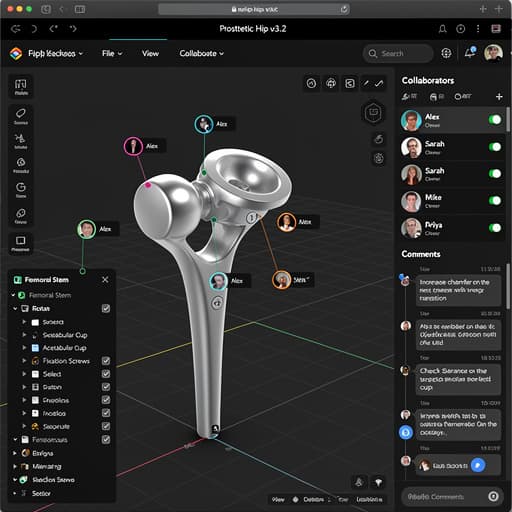
An AI agent that builds production‑ready CAD designs directly in your browser. Collaborate with your team in real‑time, then export to SolidWorks, AutoCAD, Fusion 360, and more.
No credit card required · Free with MCP connector
Export to your favorite tools
Features
AI CAD design, entirely in your browser
No installs, no hardware requirements. BuildCAD AI runs in the cloud so your team can design together from anywhere.
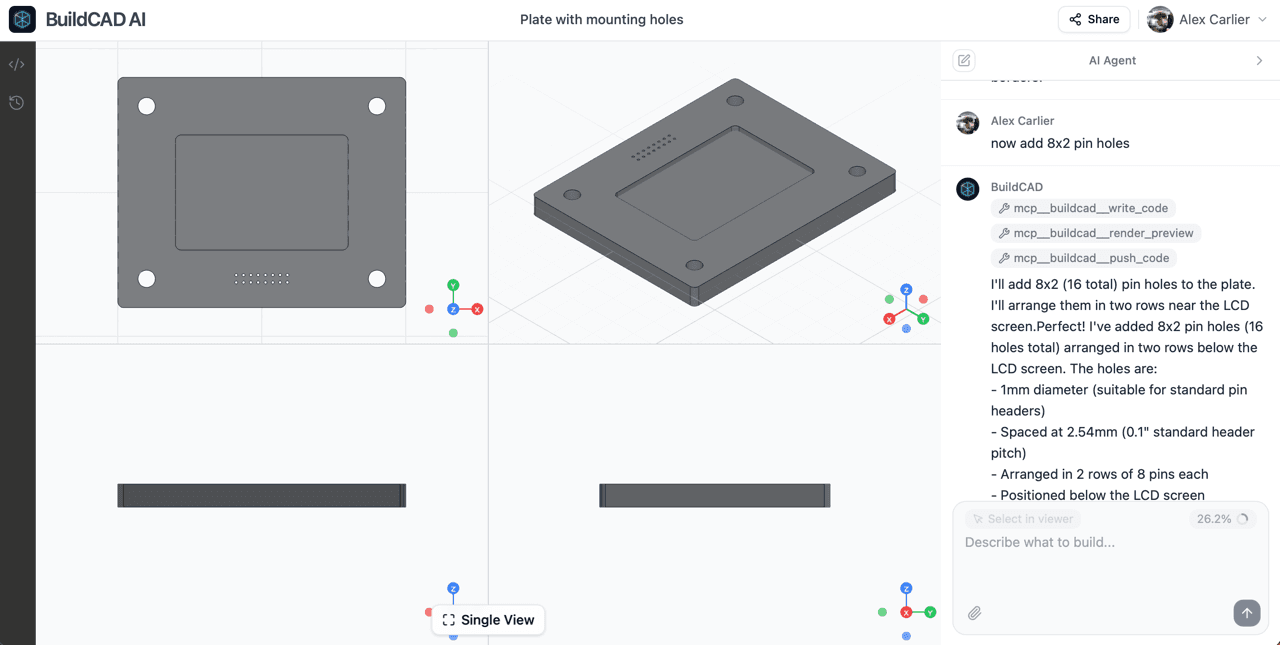
Describe it. The AI agent builds it.
Tell the AI agent what you need in plain English and it builds production-ready CAD geometry directly in the cloud. It understands engineering constraints, tolerances, and manufacturing requirements out of the box.
- Natural language input, no CAD experience needed
- AI agent iterates on your design in real-time
- Runs entirely in your browser, nothing to install
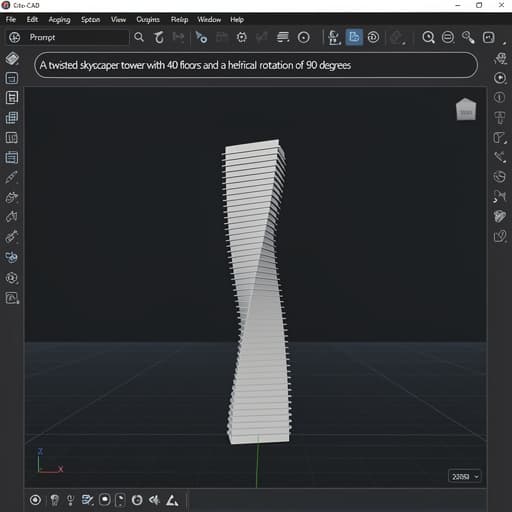
Export to your favorite CAD software
When your design is ready, export it to the tools you already use. BuildCAD AI outputs industry-standard formats so you can continue refining in SolidWorks, AutoCAD, Fusion 360, or any other CAD platform.
- STEP, IGES, STL, and native format export
- Compatible with SolidWorks, AutoCAD, Fusion 360, CATIA
- Production-ready geometry for CNC and 3D printing
Use it from Claude, Cursor & more
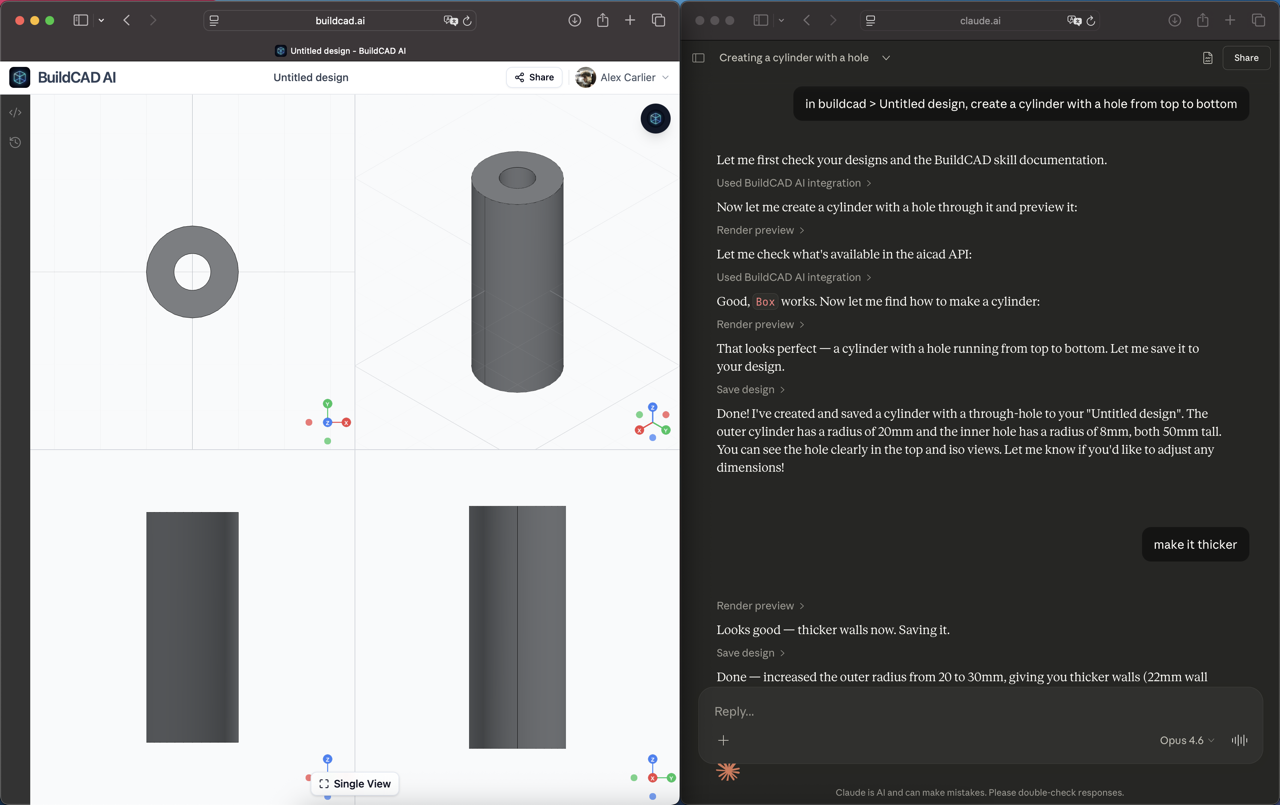
Connect BuildCAD AI to any AI assistant with our MCP server. Design CAD models through natural conversation using your own AI subscription, completely free.
- Works with Claude, Cursor, Windsurf, and Claude Code
- Free: your AI subscription handles the tokens
- Full control: create, preview, and save designs
How it works
From idea to CAD model in minutes
Describe what you need
Tell the AI agent what you want to build in plain English. Add dimensions, materials, or constraints, or let the agent figure out the details.
AI agent builds it in the cloud
The agent generates production-ready CAD geometry directly in your browser. Review the model, request changes conversationally, and collaborate with your team in real-time.
Export to your favorite software
Download your design as STEP, IGES, STL, or native formats for SolidWorks, AutoCAD, and Fusion 360. Ready for CNC, 3D printing, or further refinement.
Testimonials
Trusted by engineers worldwide
“BuildCAD AI cut our concept-to-prototype time from weeks to days. The text-to-CAD feature is genuinely useful. I describe a bracket or housing and get a solid starting point in seconds.”

“I was skeptical about AI-generated CAD, but the parametric output is surprisingly clean. It handles the tedious geometry so I can focus on the actual design decisions.”

“The design optimization alone justified the subscription. We reduced material waste by 23% on a production run by running our existing models through BuildCAD's AI analysis.”

Pricing
Start designing for free
Use BuildCAD AI with your own AI key via MCP, or let our built-in agent do the work.
Free
Use BuildCAD AI with your own AI subscription via MCP
- MCP connector for Claude, Cursor, Windsurf
- Unlimited designs via your own AI key
- Public designs only
- STEP, STL, OBJ export
Pro
Chat with the AI agent directly in BuildCAD AI
- Everything in Free
- 50 AI designs per month
- Claude Sonnet 4.5 in-app agent
- Private designs
- All export formats
- User roles & permissions
FAQ
Frequently asked questions
Everything you need to know about AI CAD design with BuildCAD AI. Can’t find what you’re looking for? Get in touch.
What is AI CAD software?
Can AI generate CAD designs from text?
How accurate are AI-generated CAD models?
Do I need to install anything?
How does this compare to traditional CAD software?
Is BuildCAD AI suitable for professional engineering work?
What file formats are supported?
Is there a free plan available?
Ready to design 10x faster with AI CAD?
Join 2,400+ engineers using BuildCAD AI to build CAD designs in the cloud, collaborate in real-time, and export to their favorite tools.
Free with MCP connector · No credit card required