BuildCAD AI

2.9 inch e-paper enclosure, customizable: screen window and rear depth

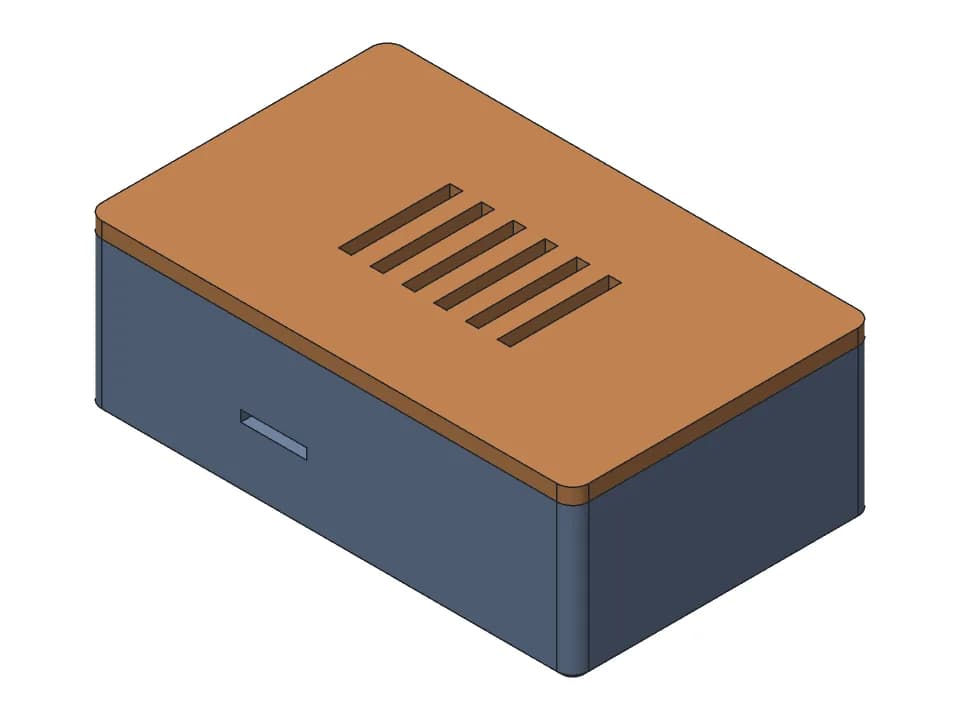
A two-part case for a 2.9 inch e-paper module that comes mounted on its 89.5 x 38 mm driver board, the size Waveshare lists. The 102.1 x 43.4 x 17 mm shell has a 2 mm bezel with a 67.5 x 29.66 mm window over the screen, a pocket for the board and 15 mm of depth for the module and its wires. A lid closes the back with two M3 screws, and a slot in one long wall lets the cable out. All sizes are sliders.

Customize Change it with AIFree STL, 3MF and STEP, no accountMeasured on the model

Parameters

Module length (board)mm
Module width (board)mm
Module thickness (panel + board + parts)mm
Extra room behind for connector and wiresmm
Clearance around the modulemm
Screen active lengthmm
Screen active widthmm
Window margin around the screenmm
Window shift along length (+ = toward right)mm
Window shift across widthmm
Side wall thicknessmm
Front bezel thicknessmm
Cable slot widthmm
Cable slot position along lengthmm
Cable slot heightmm

Sliders and downloads are free. Changes by the AI designer use credits like any design; new accounts start with free ones.

The shell prints window side down and the lid flat, with no supports. The window is centred on the board by default, but the screen may sit off centre: measure yours and set the window shift. The module thickness (5 mm) is assumed and the module sits loose in the pocket, so add a foam pad behind it. The fit is checked on the model only: print the shell first.

Parameters

Every slider in the viewer above, with the range the model accepts. The model rebuilds valid at both ends of each range.

ParameterRangeDefaultWhat it changes
Module length (board)60 to 130 mm89.5 mmLength of the driver board the panel is mounted on. Measure yours: it sets the pocket and the outside size.
Module width (board)25 to 80 mm38 mmWidth of the driver board.
Module thickness (panel + board + parts)2 to 12 mm5 mmThickness of the module: panel, board and the parts on it.
Extra room behind for connector and wires4 to 40 mm10 mmExtra depth behind the module for the connector and wires. Raise it for a right-angle connector or a microcontroller board.
Clearance around the module0.1 to 0.6 mm0.3 mmPlay between the board and the pocket on each side. Raise it if the module does not drop in.
Screen active length30 to 120 mm66.9 mmLength of the visible screen area, which sets the window length.
Screen active width15 to 70 mm29.06 mmWidth of the visible screen area, which sets the window width.
Window margin around the screen0 to 2 mm0.3 mmExtra size added around the screen area on each side of the window. Raise it if the bezel hides the edge of the image.
Window shift along length (+ = toward right)-10 to 10 mm0 mmMoves the window along the length. Measure where the screen sits on your board and shift the window to match.
Window shift across width-5 to 5 mm0 mmMoves the window across the width, for a screen that is not centred side to side.
Side wall thickness1.6 to 5 mm2.4 mmThickness of the long side walls. The end walls are 6 mm thick to take the screws.
Front bezel thickness1.2 to 4 mm2 mmThickness of the front bezel around the window.
Cable slot width4 to 40 mm16 mmWidth of the cable slot in the long wall.
Cable slot position along length-50 to 50 mm30 mmPosition of the cable slot along the wall, from the centre. Move it to line up with your connector.
Cable slot height3 to 20 mm7 mmDepth of the cable slot down from the rim. The lid closes its top.

Proof: measured on the model

What the design must satisfy and what our CAD engine measured on the model at the default values. Only measured values are shown here; nothing on this page has been printed by us yet.

RequirementWantedMeasured
Window length, over the 66.9 mm screen area67.5 mm (0.3 mm margin each end)67.5 mm
Window width, over the 29.06 mm screen area29.66 mm (0.3 mm margin each side)29.66 mm
Pocket length, for the 89.5 mm board90.1 mm (0.3 mm play per side)90.1 mm
Pocket width, for the 38 mm board38.6 mm (0.3 mm play per side)38.6 mm
Depth behind the bezel for the module and its wires15 mm (5 mm module and 10 mm extra room)15 mm
Play between the lid's lip and the pocket walls, per side0.3 mm0.3 mm
  • shell: valid solid, one body, 102.1 x 43.4 x 17 mm, fits a 256 x 256 x 256 mm printer; overhangs: 0.0% of surface would need support.
  • lid: valid solid, one body, 102.1 x 43.4 x 3.5 mm, fits a 256 x 256 x 256 mm printer; overhangs: 0.0% of surface would need support.

Print notes

Orientation
From the print plate: the shell lies window side down on the bed, and the lid lies flat with its lip pointing up. The viewer shows the case assembled, screen side up.
Supports
None
Material
PLA or PETG
Layer height
0.2 mm
Hardware
2 x M3 self-tapping screws, about 10 mm; 1 x thin foam pad or foam tape, to keep the module from rattling
Time and filament
About 1 h 25 min and 31 g at the default size: a rough estimate from the model's volume and surface (PLA, 15% infill, about 1 mm of walls, 0.2 mm layers), not a slicer.
  • Measure where the screen sits on your board before printing. The window is centred by default, which is an assumption: set the window shift sliders to match your module.
  • Print the shell first and drop the module in face down. Then check the window position and the 5 mm module thickness before printing the lid.
  • The module sits loose behind the bezel with 10 mm of room behind it. Put a foam pad between the board and the lid so it stays pressed against the bezel.
  • Move the cable slot to line up with your connector. The board's own mounting holes are not used.

How it was designed

Designed with buildcad's AI agent, checked by the buildcad team. This is the request it started from and an edited account of what it did (more on how text to CAD works).

The request

An enclosure for a Waveshare 2.9 inch e-paper display module (the panel comes mounted on its driver board, about 89.5 x 38 mm) with a window for the screen and room behind it for the connector and wires.

  1. 1

    It looked up the module

    The agent searched Waveshare's listings: 89.5 x 38 mm for the module with its driver board, 79.0 x 36.7 x 1.2 mm for the bare panel, and a screen area of about 66.9 x 29.06 mm. It found no mounting hole spacing and no position of the screen on the board.

  2. 2

    First build

    The shell and lid built as valid single bodies at 102.1 x 43.4 x 17 mm, with 6 mm thick end walls for two M3 screws (2.6 mm pilot holes, 3.4 mm lid holes). Nothing on either part counted as overhang.

  3. 3

    Seating the lid

    Its first try at placing the lid on the shell put it 63 mm away, so the check meant nothing. The agent fixed the placement: seated, the lid touched the shell with no overlap and its lip sat 0.3 mm inside the pocket walls.

  4. 4

    Better checks, then every slider

    It replaced two weak checks with real ones: the outside length, and the window length probed through the bezel at 67.5 mm. The slider sweep then rebuilt all 30 extremes as valid single bodies.

  5. 5

    What it left to the maker

    Its reply says it was not test-printed, that the centred window and the 5 mm module thickness are guesses to measure, that the cable slot position should match the connector, and that foam behind the module stops it rattling.

  6. 6

    Our change

    We made the model an assembly, shown screen side up with the lid screwed on behind, and the print plate lays both parts flat for the downloads. Placing the lid on the shell showed that the small notch in its lip for the cable was on the mirror side: with the lid turned over to close the case, it lined up with the cable slot only when the slot is centred. It is now cut under the slot.

One run of the agent: 2 min 0 s, about $0.32 of model time at list price (claude-sonnet-5-5). We changed the code afterwards, as described in the last step.